21
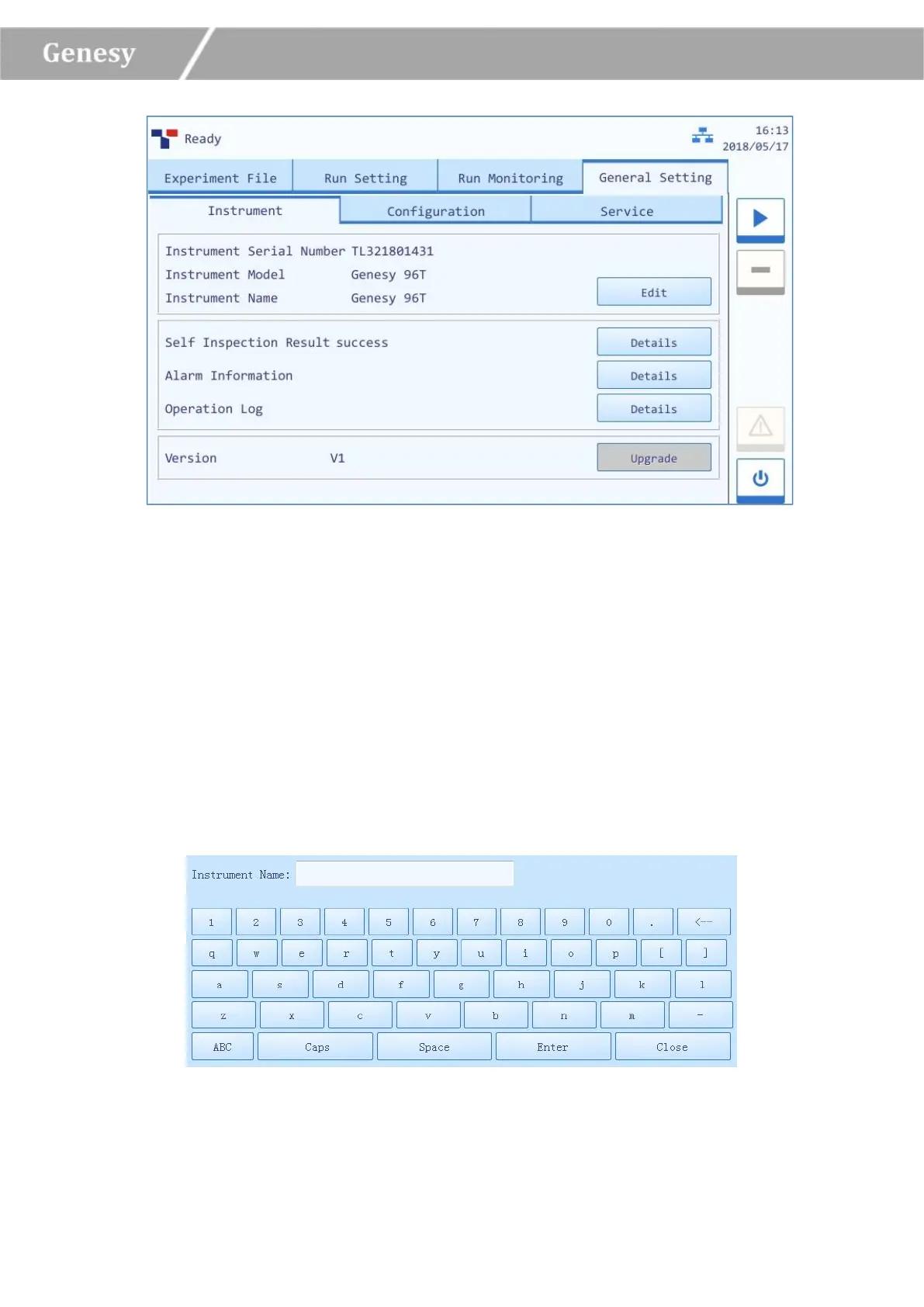
Figure 3-4-3 General Setting Interface – Instrument Sub-tab
1) Instrument Sub-tab: the instrument tab is selected on the general setting interface by
default, as shown in figure 3-4-3.
► Instrument Serial Number: display the serial number of the current instrument.
► Instrument Model: display the model of the current instrument.
► Instrument Name: display the current instrument name, users could press < Edit > to edit
the instrument name, the system will pop up the instrument name edit window, as shown in
figure 3-4-4.
Figure 3-4-4 Instrument Name Edit Window


 To Next Page