6
3. Operation Instructions
3.1 Start Up
Switch on the power switch at the back of the Genesy thermal cycler, the instrument will perform
self-inspection, its screen will light up and display startup interface.
3.2 Main Interface
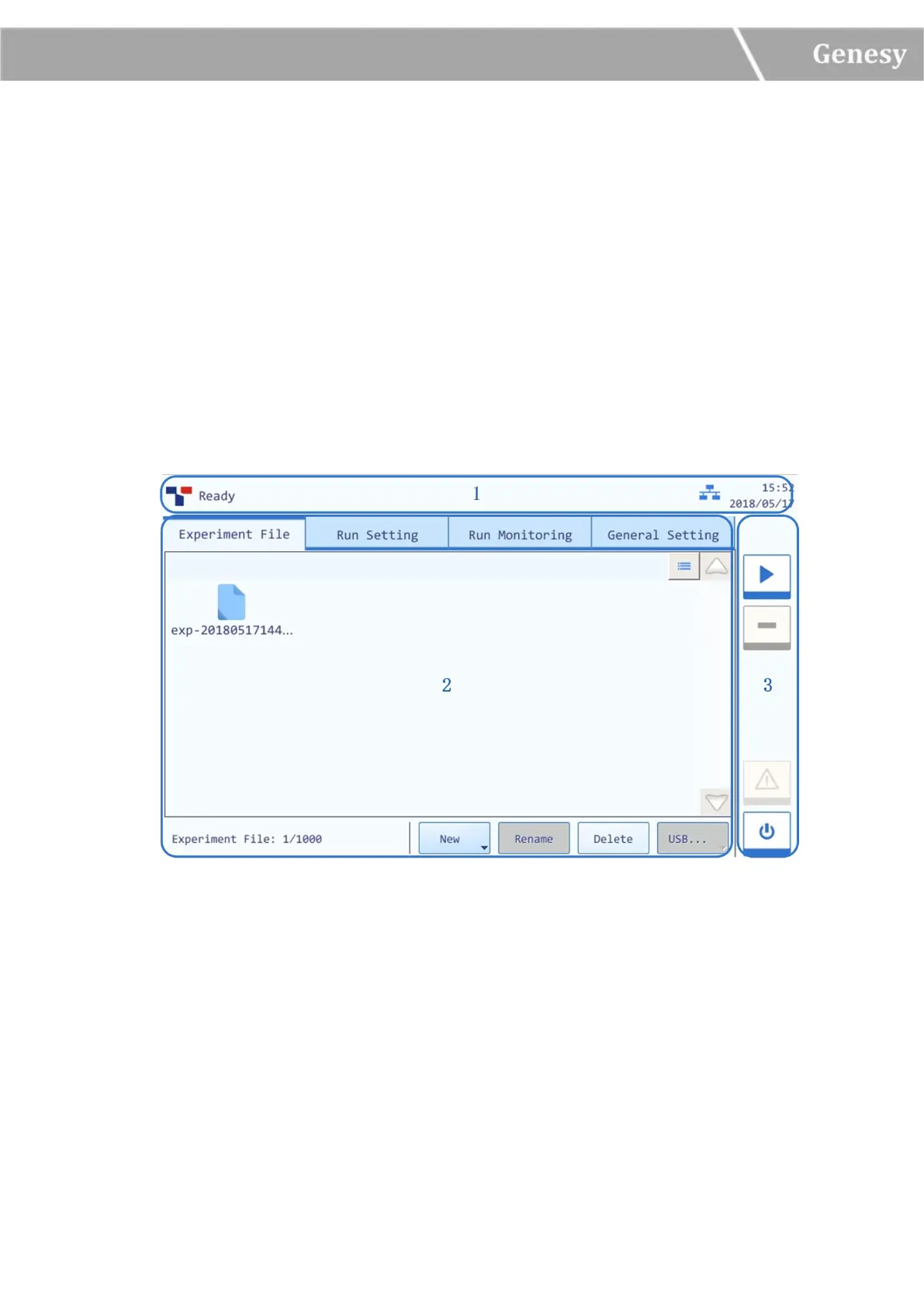
After the self-inspection, the instrument software system will automatically enter the main
interface, which is consisted of three parts: status bar, operation area, and main function keys, as
shown in figure 3-1.
Figure 3-1 Main Interface
Interface Introduction & Parameter Descriptions
1. Status Bar: display the system status, current file name, instrument status and system time.
► System Status: display the current system status.
Initializing: the system is in process of initialization;
Ready: the system initialization is completed, ready for running;
Running: the instrument is in process of experiment running;


 To Next Page