11
3.2.2 Run Setting
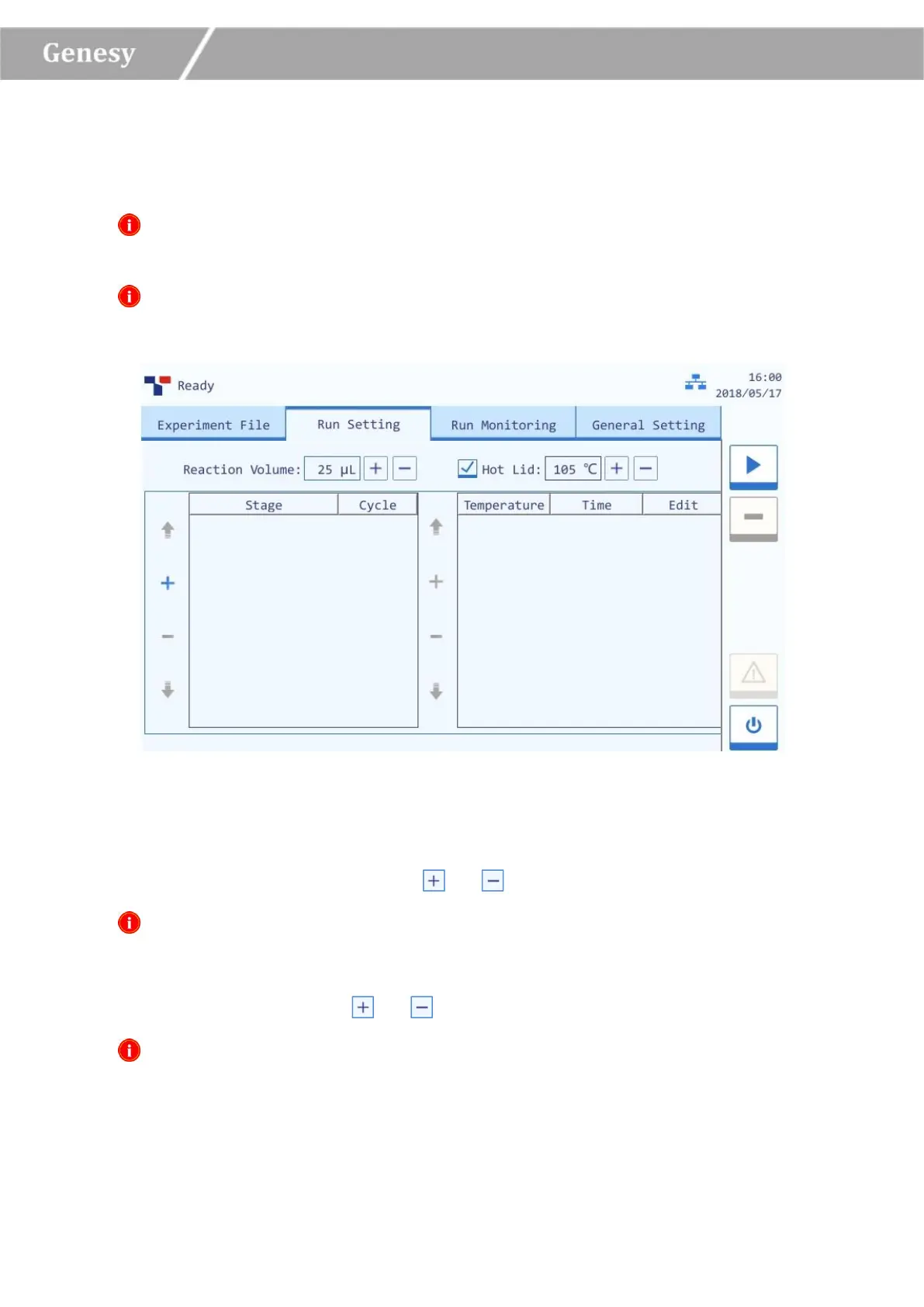
Users could set the temperature program, cycle, reaction volume and hot lid temperature for the
current experiment on the run setting interface, as shown in figure 3-3.
Reminding: the system will automatically enter the run setting interface after new
experiment file creation;
Reminding: users could also select an experiment file, press Run Setting tab on the main
interface, enter the run setting interface to view or edit the experimental settings.
Figure 3-3 Run Setting Interface
Interface Introduction & Parameter Descriptions
► Reaction Volume: users could press or icons to edit the reaction volume.
Reminding: the reaction volume setting range is 0µL~100µL.
► Hot Lid: users could press the check box of Hot Lid to decide whether utilize the hot lid
heating function, and press or icons to edit the hot lid temperature.
Reminding: the hot lid temperature setting range is 40°C ~110°C.


 To Next Page