12
► Stage Setting:
Stage: display the stage type of the temperature program.
Cycle: display the cycle number of the current stage.
< Up >: move up the selected stage.
< Add >: add a new stage.
< Delete >: delete the selected stage.
< Down >: move down the selected stage.
► Step Setting:
Temperature: display the target temperature of the current step.
Time: display the temperature holding time of the current step.
< Edit >: press icon in Edit column to edit the corresponding step.
< Up >: move up the selected step.
< Add >: add a new step.
< Delete >: delete the selected step.
< Down >: move down the selected step.
Temperature Program Setting Operation
1
st
Step: Add Stage
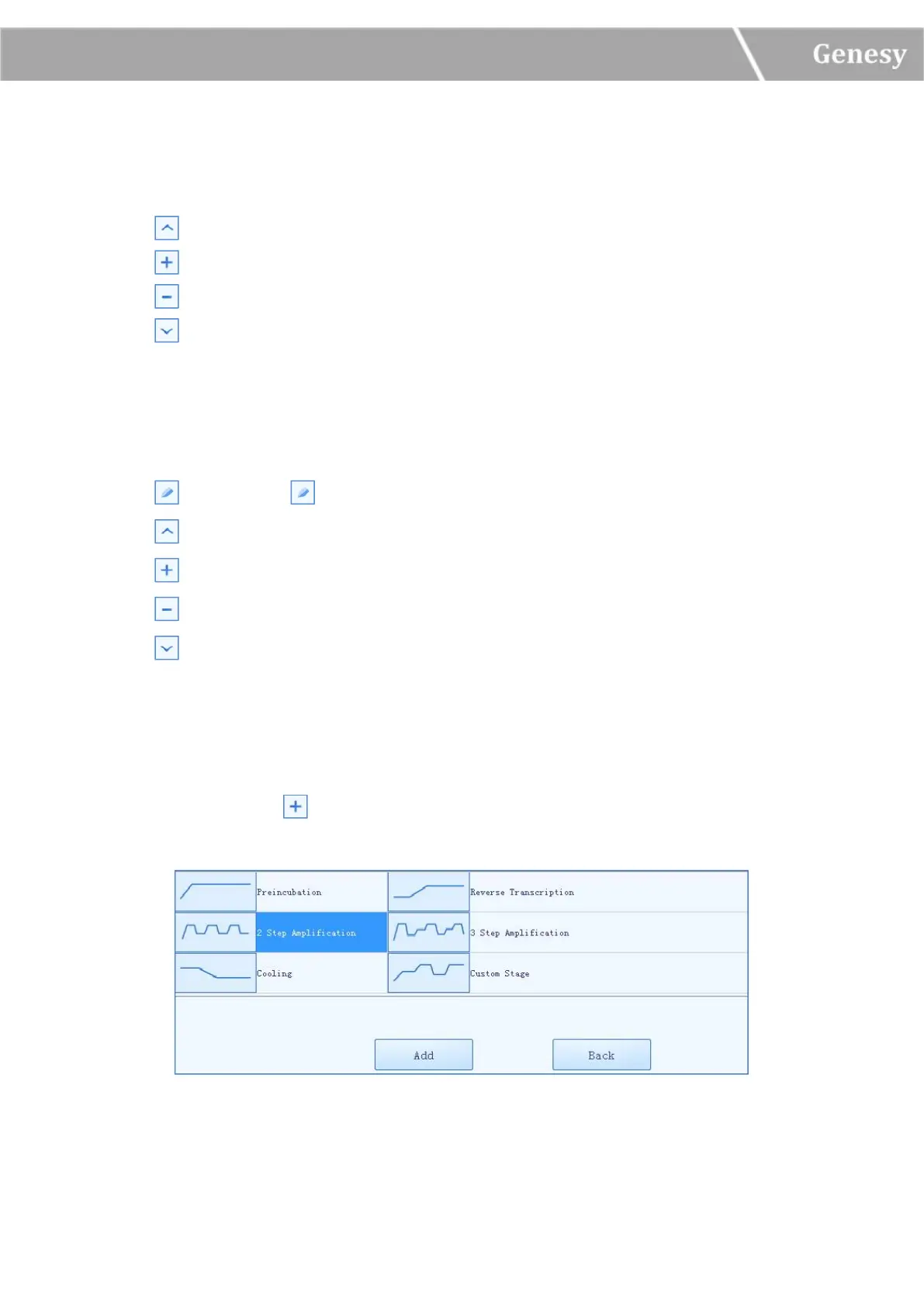
User could press the < Add > icon in the stage setting box, the system will pop up the stage
type selection window, as shown in figure 3-3-1.
Figure 3-3-1 Stage Type Selection Window


 To Next Page