13
Five predefined stage types are provided by the system software: Pre-incubation, Reverse
Transcription, 2 Step Amplification, 3 Step Amplification and Cooling. Users could press
Custom Stage to define the stage setting according to specific experiment requirements.
► Users could press < Add > to add the selected stage to stage setting box.
► Users could press < Back > to return back to the run setting interface.
Reminding: at least one stage should be included in the temperature program.
2
nd
Step: Edit Stage
► User could select a certain stage, delete it or change its order.
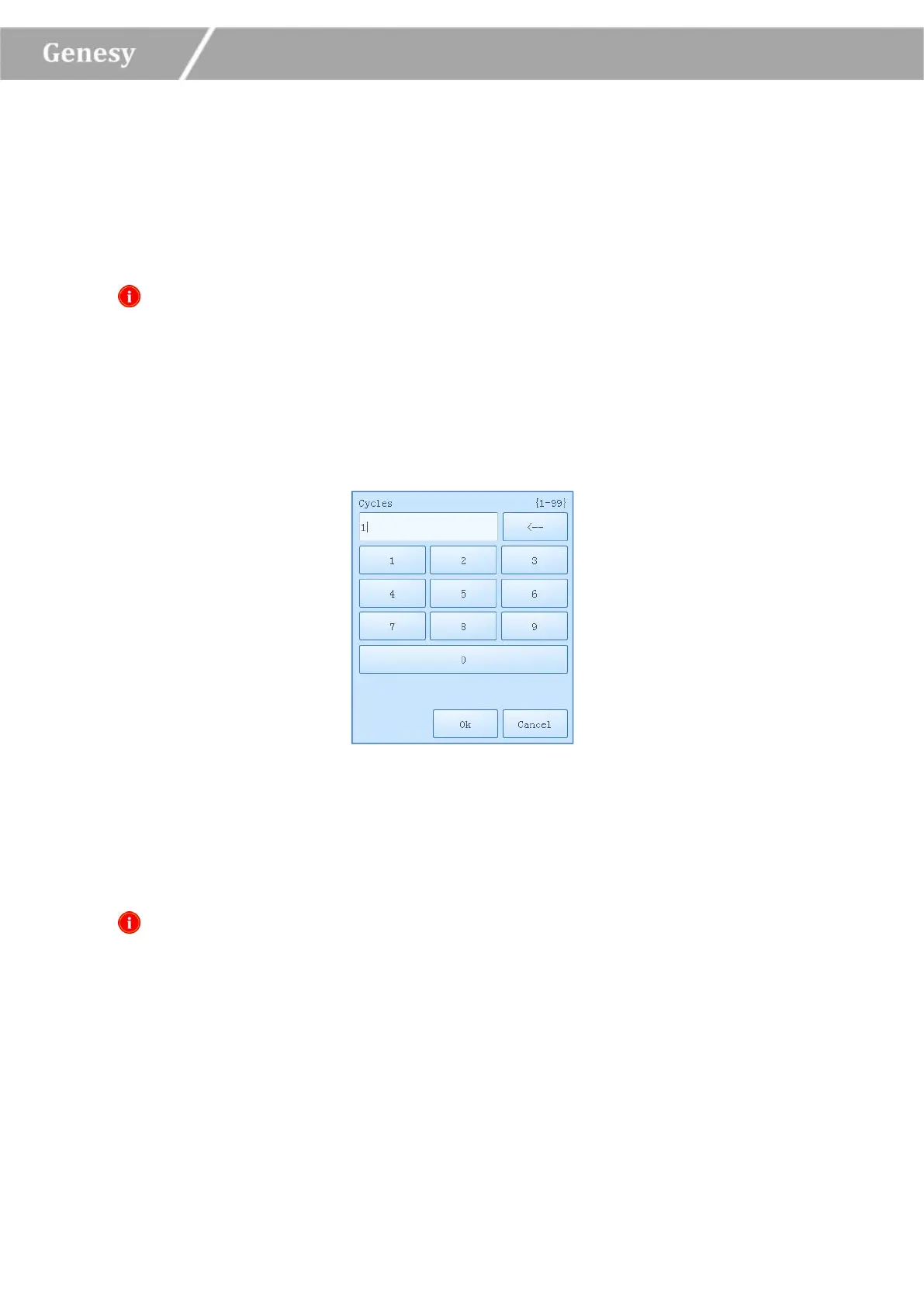
► User could select a certain stage and press its corresponding Cycle column, the cycle edit
box will pop up as shown in figure 3-3-2.
Figure 3-3-2 Cycle Edit Box
► User could set the cycle number in the cycle edit box, press < OK > to confirm the cycle
setting or press < Cancel > to cancel the setting.
Reminding: the cycle setting range is 1~99.
3
rd
Step: Add or Delete Step
► Select a certain stage in the stage setting box, its corresponding steps will be presented in
the step setting box on the right side.
► Users could add a new step, delete a step, or change the step orders.


 To Next Page