19
Reminding: the temperature center setting range is 35.5°C ~99.5°C.
Reminding: the temperature offset setting range is 0.5°C ~20.0°C.
Reminding: Gradient settings only apply to Genesy 96T.
3.2.3 Run Monitoring
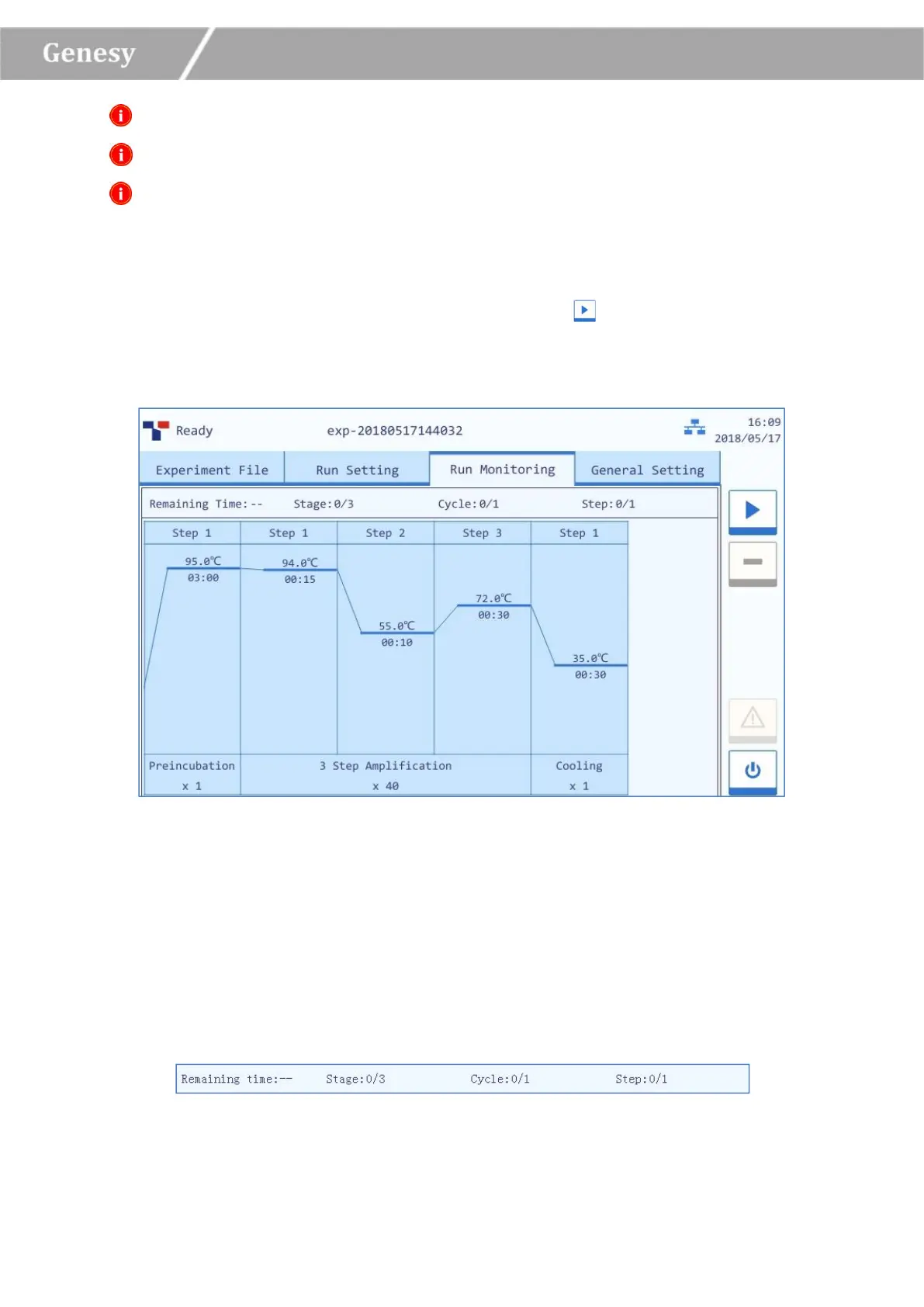
After finishing the experiment setting, users could press the < Run Experiment > function
key to start running the current experiment, the system will enter the run monitoring interface,
as shown in figure 3-4.
Figure 3-4 Run Monitoring Interface
The run monitoring interface is consisted of two parts: run status bar and run monitoring
diagram. Users could monitor the real-time status of the current running experiment on this
interface.
1) Run Status Bar: display the real-time status of the current running experiment, including
the Remaining Time, the current Stage, Cycle and Step, as shown in figure 3-4-1.
Figure 3-4-1 Run Monitoring Interface - Run Status Bar


 To Next Page