Connections
Connect to TV
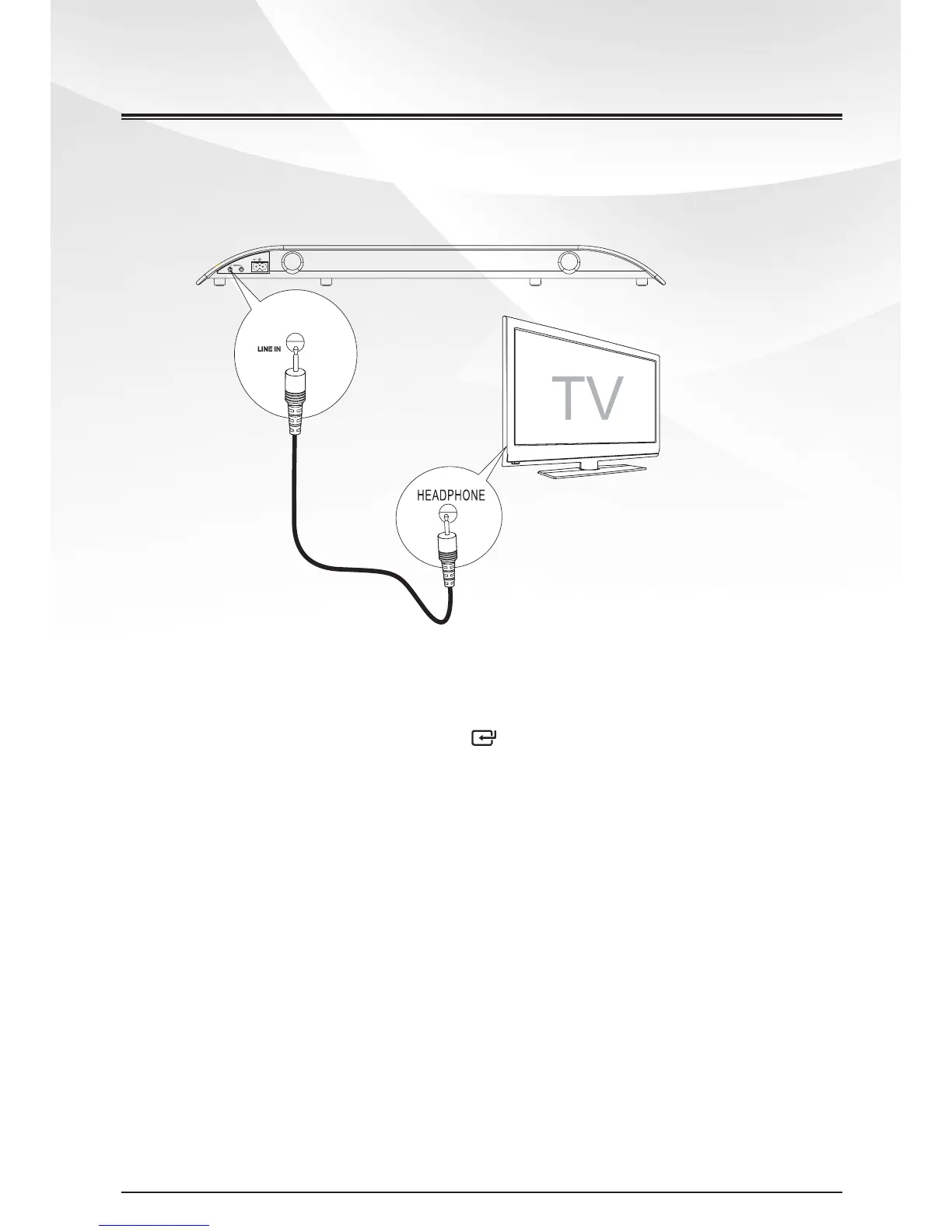
This unit is very user friendly, please just connect it directly to TV’s headphone jack as
below :
1 Connect the LINE IN cable to:
- LINE IN socket on the unit.
- HEADPHONE socket on TV.
2 Unit turn on automatically. Press the /SOURCE button to select source.
3 Start to play on the TV.
Tip:
No need to use our Remote Control set, you can simply use your TV’s inherent
Remote Control set to control Vol+/Vol-.
6
www.tibo-electronics.com


 To Next Page