8
Turn On/Off
W h e n y o u c o n n e c t T V o r a n
external device to the unit, unit will
turn on automatically. Auto Power
indication light is green (connect
to LINE IN 1) or yellow (connect to
LINE IN 2). And will turn red when
disconnected or when you turn off
TV / external device.
NOTE:
If the volume of TV or an external
device is too low, the unit also turn
off automatically.
Adjust Volume Level
During play, press the VOLUME+/-
buttons to increase/decrease the
volume level.
If the unit is connected to the TV’s
headphne jack, you can also
control the Volume Level by using
the TV’s remote control set directly.
Super Bass Boost
Press the RS-BASS button to turn on
thebass,theindicatorashesfora
longer time (abouts 1s-2s). Press this
button again to turn off the bass,
the indicator flashes for a shorter
time (about 0.5s-1s).
Mute Sound
During play, press the MUTE button
to mute or restore sound. Press this
button again or VOL+/VOL - buttos
to cancel the effect.
Program Smart Remote Control to
Control TV
You can store a total of 7 most
frequently used function of you TV
in the TV (learning zone) of smart
remote control. This feature allows
you to use only one remote control
to operate all of your TV.
By default, the remote control
codes of a TV are stored in the
smart remote control. The available
p r e s e t b u t t o n s a r e O N / O F F ,
FUNCTION, ENTER, TV VOL+/VOL-,
TV CH+/CH-.
NOTE:
During the learning process, the
normal remote control functions
are disabled.
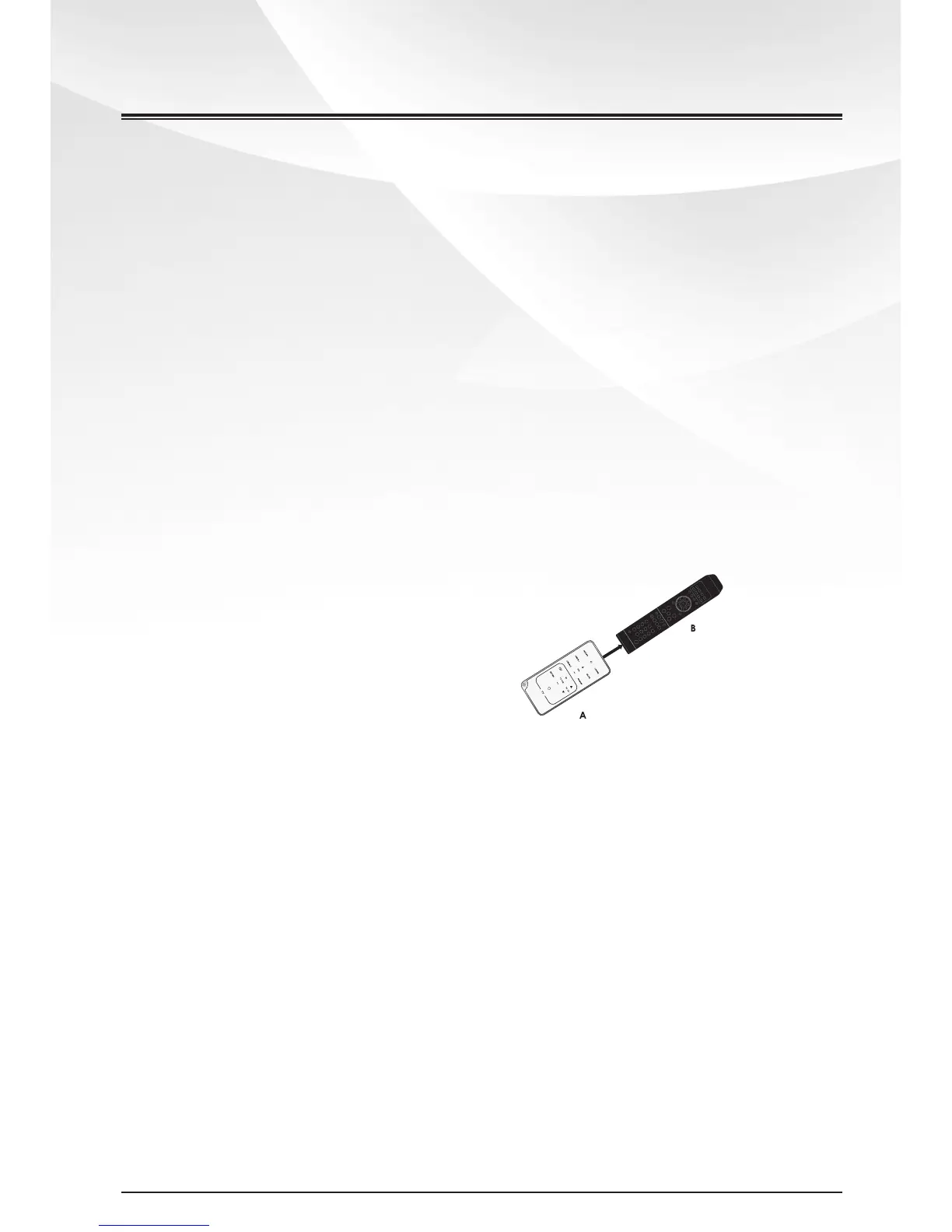
1 Place the smart remote control (A)
within 5mm-50mm distance from TV
remote control (B).
2 Press and hold LEARN button for
2 seconds to activate the learning
mode. A red indicator on the smart
remote control (A) lights up.
3 Press one of the TV (learning zone)
buttons on the smart remote
control (A), the red indicator
ashes.
4 Press the button on TV remote
control (B) that is to be stored on
the smart remote control (A). When
the code is received successfully,
theredindicatorashes3times,
then turns red again. If the red
Basic Operations
8
www.tibo-electronics.com


 To Next Page