11
Turn it back on
Treble
This ampli er features a treble control that allows adjustment of the Treble level. Please note
that the high Treble boost level offered by the Treble control may lead to permanent damage
to your loudspeakers if high volume is used for prolonged period of time.
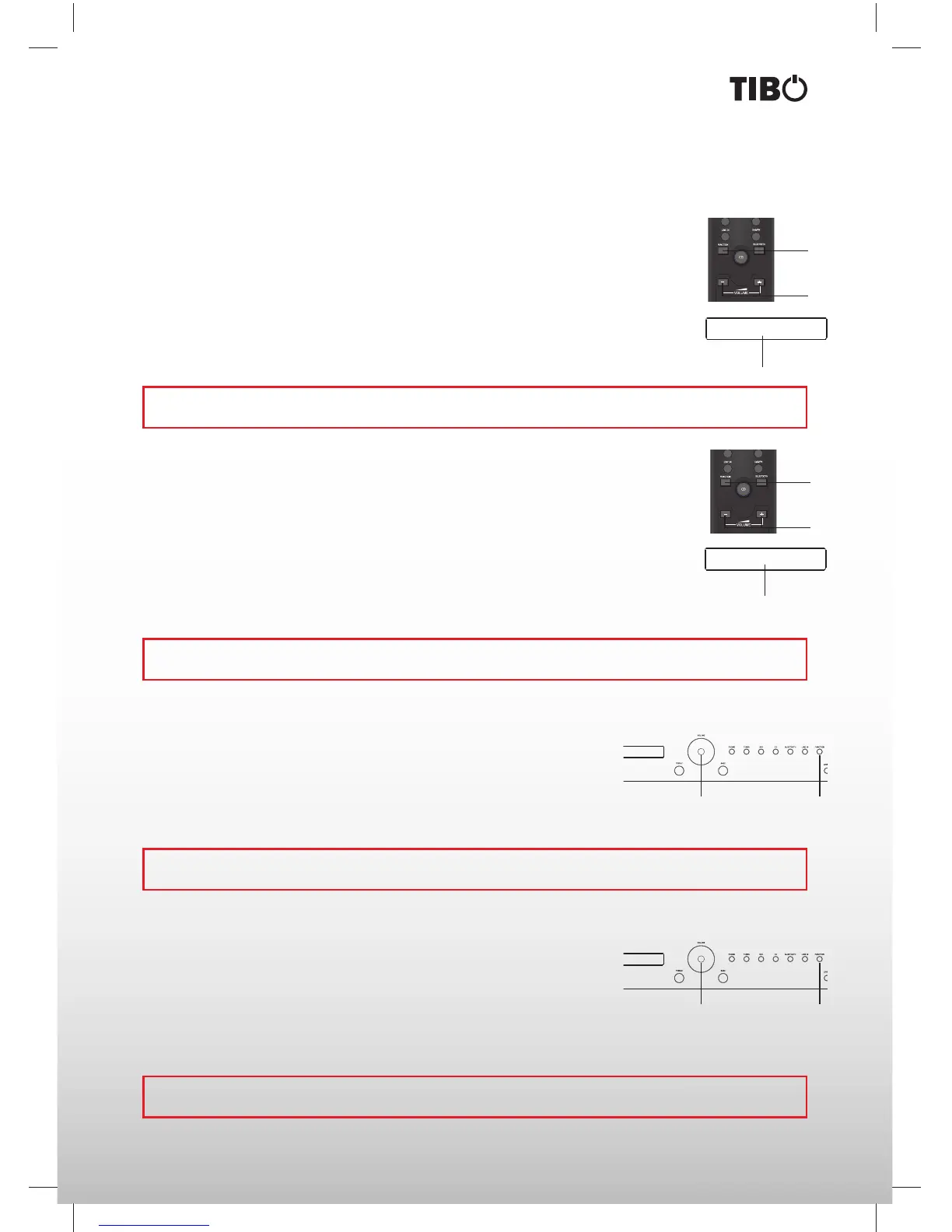
1. Press the Function button on the remote control to enter the Function menu. Keep
pressing the Function button on the remote control until the display on the ampli er shows
Treble.
2. Press VOL+ or VOL- to adjust the Treble level.
3. If you want to adjust the Treble level through the front panel, you must turn the Treble
button clockwise or counter clockwise to adjust the Treble level.
1
2
TREBLE 0
3
Bass
This ampli er features a bass control that allows adjustment of the bass level. Please note
that the high bass boost level offered by the bass control may lead to permanent damage to
your loudspeakers if high volume is used for prolonged period of time.
1. Press the Function button on the remote control to enter the Function menu. Keep
pressing the Function button on the remote control until the display on the ampli er shows
Bass.
2. Press VOL+ or VOL- to adjust the Bass level.
3. If you want to adjust the Bass level through the front panel, you must turn the Bass button
clockwise or anticlockwise to adjust the Bass level.
BASS 2
3
1
2
Balance
This ampli er features a balance control that allows the adjustment of the vol-
ume of one loudspeaker. This function is used to compensate for a non-centred
listening position, and makes it possible to adjust the stereo perspective.
1. Press the Function button on the front panel or the remote control until
information on balance control is displayed.
2. Turn the volume control to adjust the balance.
21
Loudness
This ampli er features a loudness function that allows boosting the volume
of the low frequencies at low volume. This function is active at frequencies
between 20 Hz and 800 Hz and the function is dampened when the ampli er
volume is increased. When the volume is at the maximum setting, the loudness
function has completely cut out.
1. Press the Function button on the front panel or the remote control until information on loudness is displayed.
2. Turn the volume control to the right to activate the loudness function or to the left deactivate the loudness
function.
AMPLIFIER
Note: If the Bass control is not operated within ve seconds, the display will return to the volume information
display.
Note: If the Treble control is not operated within ve seconds, the display will return to the volume information
display.
Note: If the balance control is not operated within ve seconds, the display will return to the volume
information display.
Note: If the loudness control is not operated within ve seconds, the display will return to the volume
information display.
21


 To Next Page