30
ⓒ 2019. this is engineering Inc. All Rights Reserved.
Preference Settings
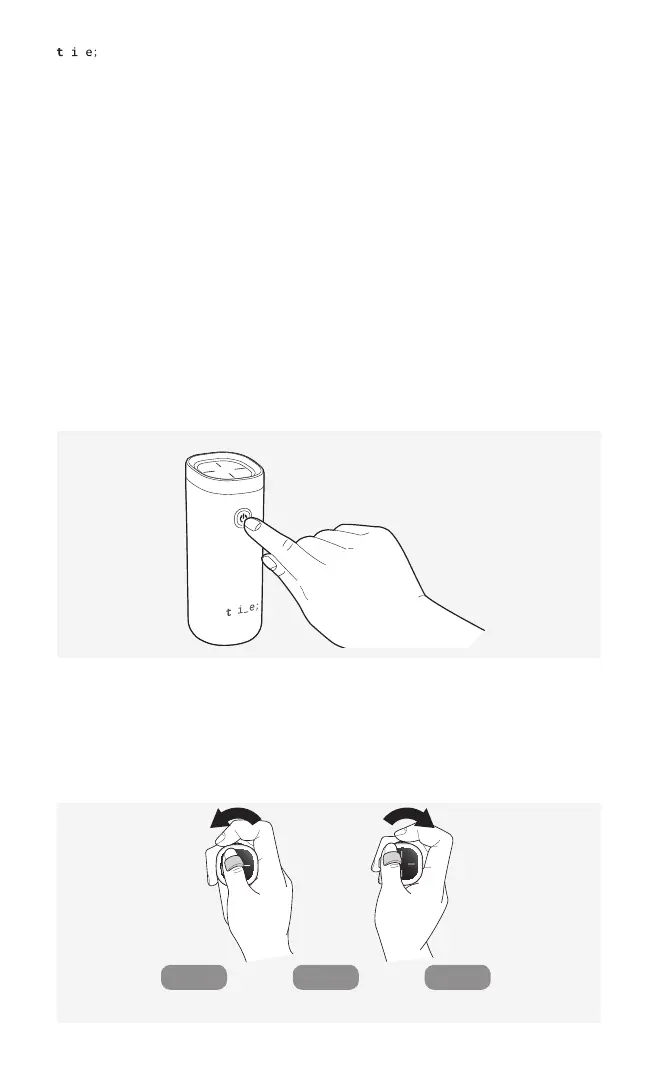
Before takeoff, you can press the power button once to enter Preferences mode, and
adjust settings such as control sensitivity, vibration intensity, and volume. Move the jog button
left or right to switch between options: control sensitivity ↔ vibration intensity ↔ volume.
1. Briefly press the power button of the controller before flight to enter preference
settings mode.
2. The first menu selected upon entering preference settings is “control sensitivity
setting.” Moving the jog button left and right switches between menus in the
order of control sensitivity, vibration intensity, and volume. The selected setting is
indicated through a distinct alarm pattern as shown below.
All LEDs blink twice Vibrates twice
at the current intensity
Beeps twice
at the current volume
↔ ↔
Control
sensitivity
Vibration
intensity
Volume


 To Next Page