55
SHIFT RED User Manual
ⓒ 2019. this is engineering Inc. All Rights Reserved.
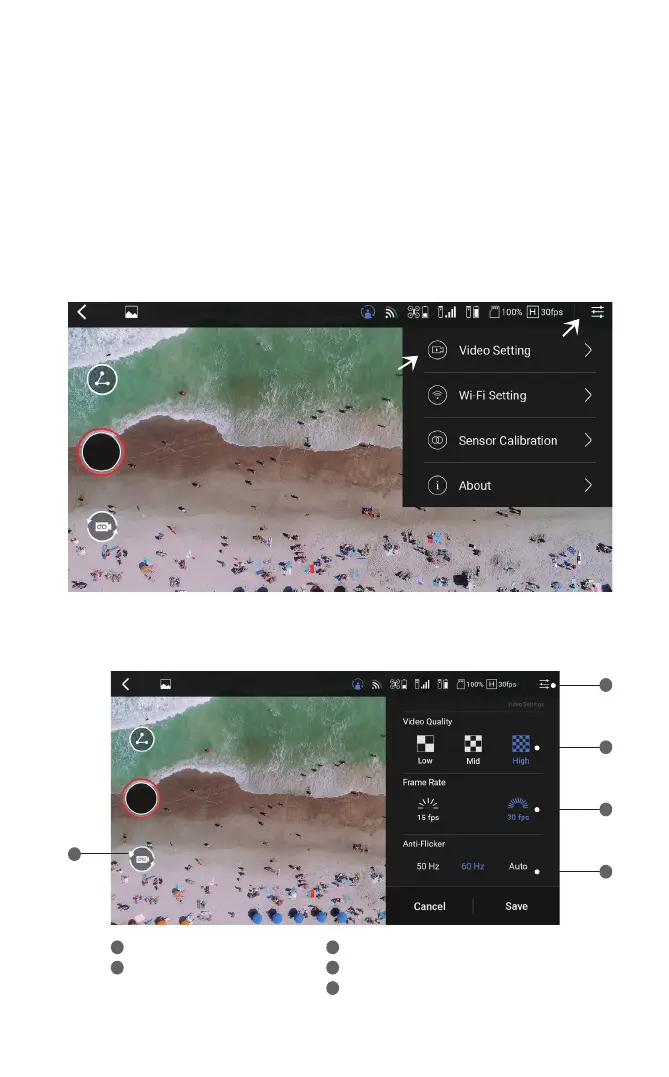
Recording Preference Settings
1. To change the photo/video quality settings, tap on the button indicated below.
2. Set the desired photo/video quality while referring to the following description.
Setting menu
Select photo/video mode
Select quality (low/mid/high)
Select frame rate (15 fps / 30 fps)
Select anti-flicker (50 Hz / 60 Hz / Auto)
1
2
3
4
5
3
4
5
2
1


 To Next Page