32
ⓒ 2019. this is engineering Inc. All Rights Reserved.
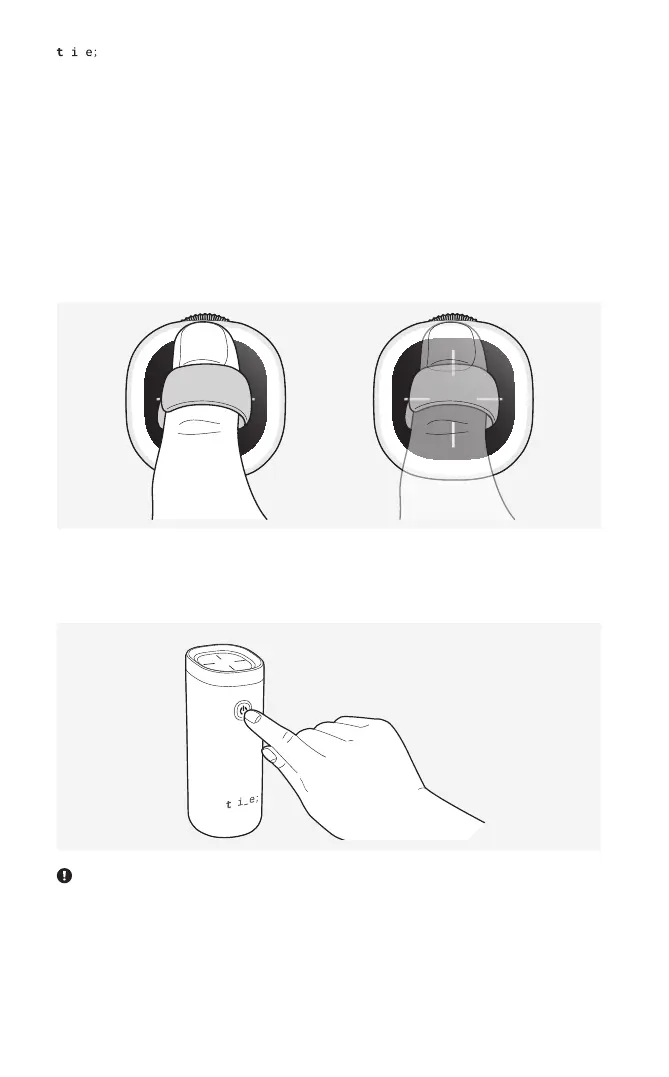
5. Lightly make contact with the center of the control pad to save your setting.
6. Press the power button on the controller to end the preference setting. Your
setting is stored even after the controller and drone are powered off.
When vibration and volume are turned off under preferences, be extra cautious during take-off and landing
(Note that LEDs indicating power on/off, warnings and emergency alarms remain active regardless of vibration
and volume settings).


 To Next Page