11
5
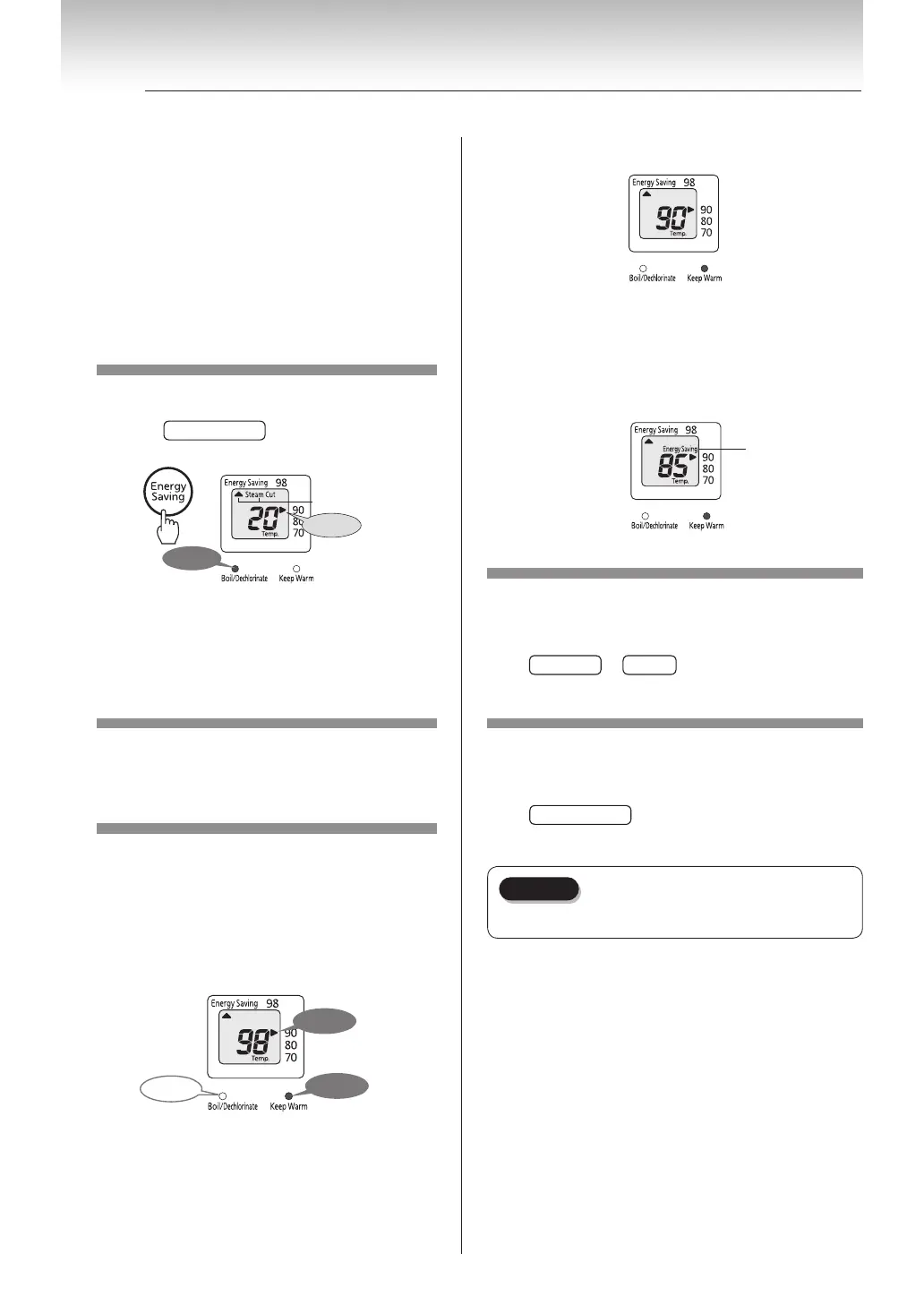
How to use Energy Saving Mode
■Water reaches setting temperature...
■If the unit is not in use for 2 hours, it
will automatically switch to Energy
Saving Mode.
( 5°C lower than regular setting temperature)
Display
How to bring back to setting
temperature.
Press
Temp.Set
or
Unlock
key once. Bring back to
setting temperature about a minute.
How to cancel Energy Saving
Mode
Press
Energy Saving
key for a second. (It automatically
reheats when the temperature is low.)
Keep your face or other body parts away
from the steam vent which may be hot
during Energy Saving Mode boiling cycle.
Energy Saving Mode applies to Boiling and Keep Warm
cycles.
•
Energy Saving Mode Boiling: heater will shut off when
temperature reaches 98°C and reduce boiling steam.
(Depending on the room and water temperature, the
steam cut function may not work.)
•
Energy Saving Mode cycle applies after 2 hours not in
use. It reduces approximately 5°C from regular setting
temperature e.g.: If you select 98, Energy Saving Mode is
95.
1
Select [Energy Saving Mode]
Press and hold
Energy Saving
key for a second.
Light
illuminates
Flashing
Display
■Disabling steam cut function for
Energy Saving Mode cycle.
Boiling cycle with dechlorinate.(See p. 8)
2
Select [Keep Warm]
(See
p. 9
)
3
Once water reaches boil-
ing point, it automatically
switches to Keep Warm
mode.
■When boiling cycle is done...
Light
turns o
Light
illuminates
Light
illuminates


 To Next Page