X1-siren: Remove the screw at the bottom of the back panel. Now, slide off the back panel and
replace the batteries with 3x AA size 1.5V alkaline batteries.
Door sensors:
▪ Remove the screw at the bottom of the sensor. Now slide the sensor upwards and remove it
from the back panel.
▪ Take out the old battery and replace it with a fresh AAA alkaline battery - please note the
correct polarity.
▪ Slide the sensor on the back panel and secure it with the screw at the bottom of the sensor.
PIR Motion detectors: Slide off the back panel and replace the batteries with 2 x AAA or 3x AAA
batteries depending on the model.
IMPORTANT: DO NOT USE RECHARGEABLE BATTERIES UNDER ANY CIRCUMSTANCES
10. Resetting the X1-siren to factory settings
This procedure erases all information which is related to sensors and remote controls.
▪ Take out one battery from the X1-siren.
▪ While keeping the CONNECT-button pressed, re-insert the battery.
▪ After a few seconds, you hear 10 beeps with longer intervals followed by another 10 beeps
with shorter intervals.
▪ Now, release the CONNECT-button.
▪ Now, the X1-siren restarts automatically.
Your X1-siren now has been reset to factory settings. You can reconnect your remote controls and
sensors.
11. tiiwee window sensor 03
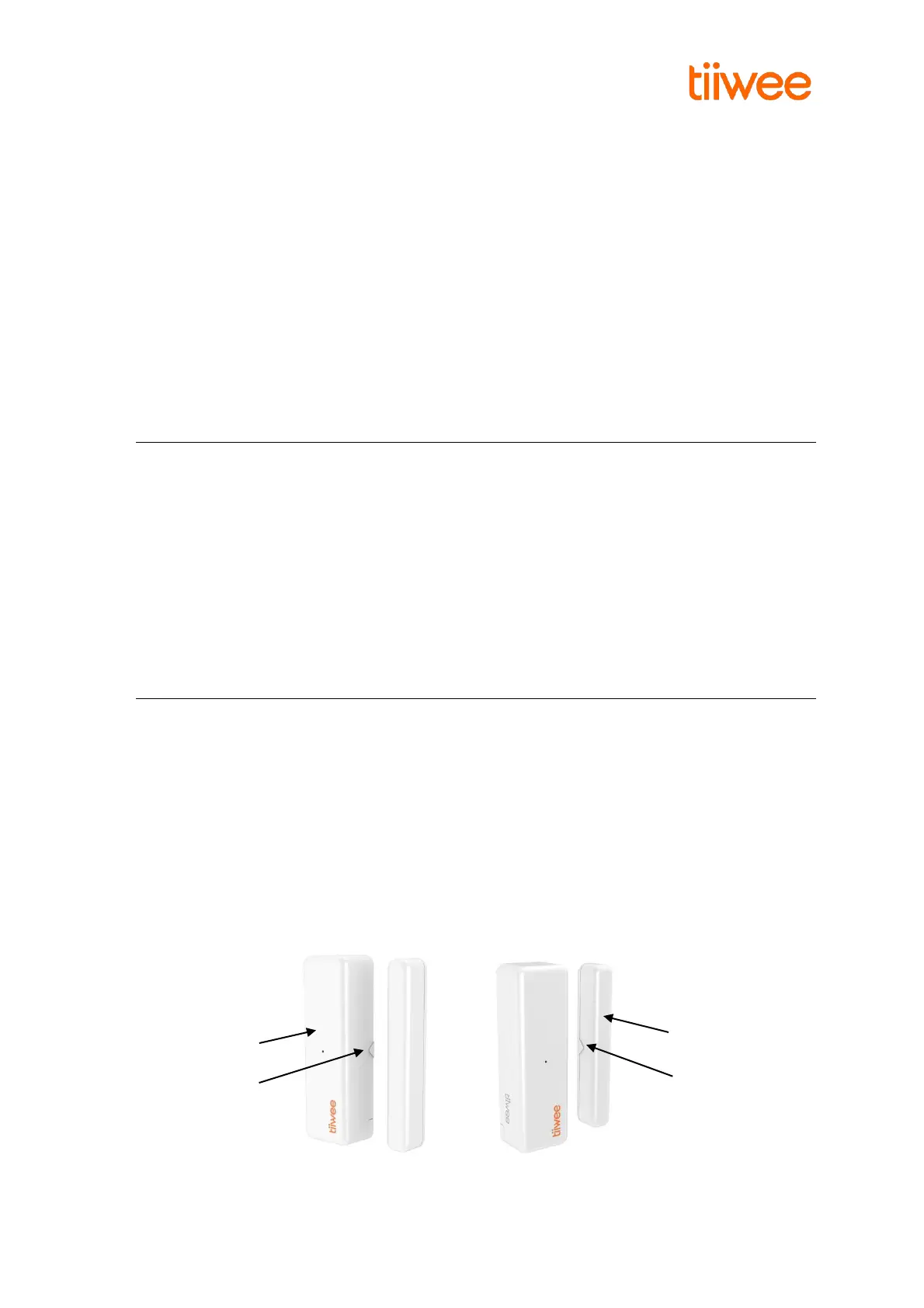
IMPORTANT: Please assure that the distance between magnet and sensor does not exceed 5 mm.
The triangles on the door sensor and the magnet are alignment aids. They must face each other at
a distance of a maximum of 5 mm for the door sensor to work optimally.
Product Overview and Operation
The door sensor consists of a magnet and a sensor which contains a detector for changes in magnetic
fields (‘flux’). When the magnet is moved away from the sensor, the sensor will detect that motion
and will send a wireless signal to the Tiiwee Alarm unit. The Tiiwee Alarm unit will now emit a
powerful alarm sound or a doorbell-sound (“Ding-Dong”) depending on the settings of the Alarm
unit.



 To Next Page