Deactivating the system will be confirmed by two beeps.
Indicator light: Activated status
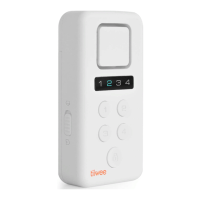
The X1-siren features an indicator light that shows if the system is active or not. When the system is
activated, the LED of zone 4 flashes every 5 seconds. To switch off the indicator light, while in
activated mode, press the CONNECT-button for 5 seconds. You hear one beep, and the indicator light
switches off. To switch on the indicator light again, repeat the above-described procedure.
Choosing doorbell-sound or siren sound
In deactivated mode, short press the On/Off-button on the X1-siren or the Loudspeaker-button on
the remote control to switch between doorbell-sounds and siren sound. The order of the sounds is
1. loud doorbell
2. mild doorbell
3. very loud siren (120dB)
You hear a short fragment of the selected notification sound or alarm sound each time you press the-
button.
IMPORTANT: Changes to the X1-siren settings can only be performed when the X1-siren is in
deactivated mode. If you try to make changes to the X1-siren while the system is in the activated mode,
you hear three beeps.
As a general rule, three beeps always means that the X1-siren is not able to process the input. Consult
the instructions for use in such case.
When the siren alarm sounds
When a sensor triggers an alarm in siren mode, the alarm sounds for 2 minutes. Then, the siren stops
and the X1-siren returns into activated mode again automatically. The siren can also be stopped at
any time with the remote control. During an alarm, the LED of the respective zone lights up until the
alarm is switched off.
Stopping an alarm
There are two ways to stop the alarm when the siren sounds. Stop the siren by pressing the
Deactivation-button on the remote control.
Alternatively, you can also stop the alarm on the X1-siren by the following-button combination: Press
3 times quickly the On/Off-button followed immediately by a quick press of the CONNECT-button.
6. Expanding your system
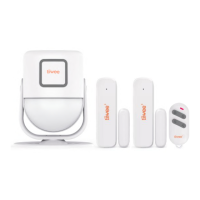
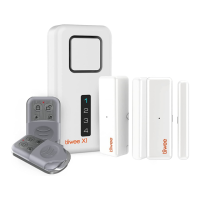
Expand the X1 system with Tiiwee door sensors and motion detectors from the Tiiwee Home Alarm
System. It is possible to add up to 10 Sensors per zone. Up to 10 remote controls can be connected.
Furthermore, additional X1-siren units, as well as A3 outdoor sirens, can be connected by combining
the existing sensors to the new sirens.
IMPORTANT: Warranty
Please only use accessories from the Tiiwee Home Alarm System to ensure a proper function of the
system.
Connecting additional door sensors



 To Next Page