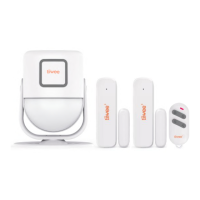
Position the motion detector with the detection window facing downwards to avoid that it
detects anything for the moment.
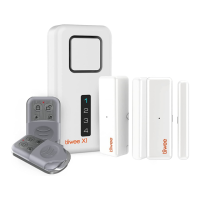
Use the Loudspeaker-button on the remote control to switch from the doorbell-sound (2
different volumes) to siren sound. Cover the siren to avoid damaging your hearing. Press the
Loudspeaker-button of the remote control until you hear the doorbell-sound ("Ding-Dong").
b. Press the Activation-button ( ) on the remote control to arm the X1-siren. You hear a
short beep accompanied by one brief flash of the LEDs.
c. Now move the magnet away from the first sensor. You hear the
doorbell-sound (“Ding-Dong”), and the red light on the sensor
lights up. Repeat this procedure for all other door sensors.
Motion detector (PIR kits only): Slowly, in front of the motion detector, wave your hand at a
distance of approximately 50-70 centimetres. You hear a doorbell-sound, and the detection
window of the sensor lights up.
4. Installing your system
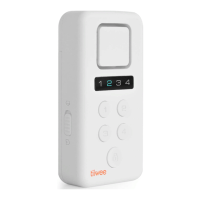
Deactivate the X1-siren using the Deactivation-button on the remote control ( ). Now,
mount the X1-siren and door sensors following the instructions in the manual.
How to mount the X1-siren
First, attach the back panel to the wall using the self-adhesive pads or screws (included).
Place the X1-siren on the back panel and attach it to the back panel with the smallest screw
at the bottom.
Once all components are mounted, activate the system: Select the Loudspeaker-button on
the remote control to choose the loud siren sound. Now, to activate your system, press the
Activation-button.
5. Daily use of your alarm system
Switch On/Off
Press the On/Off-button on the X1-siren for 5 seconds to switch the unit on or off. When switching
on, you hear one short beep and the LEDs light-up from top to bottom. When switching the X1-siren
off, you hear one long beep sound, and the LEDs dim from the bottom to the top. When the X1-siren
is switched on, it will be in the same state (active or deactivated) as it was when it was switched off.
Activating the system
On the X1-siren: short press the CONNECT-button. On the remote control: press the Activation-
button.
You hear one beep as a confirmation that the system is activated.
Deactivating the system
X1-siren: short press the CONNECT-button.
Remote control: press the Deactivation-button.



 To Next Page