The door sensor has now been removed from zone 3 and reconnected to zone 1.
Disconnecting remote controls
IMPORTANT: With this procedure, you disconnect all remote controls. Please reconnect the remote
controls if you wish to operate the X1-siren through one or more remote controls.
o Deactivate the X1-siren by pressing the CONNECT-button on the X1-siren or the Deactivation-
button on the remote control.
▪ On the X1-siren, press the CONNECT-button for 5 seconds. You hear a beep and all four LEDs
light up
▪ On the X1-siren, press the CONNECT-button again for 5 seconds. You will hear four beeps and
all the LEDs quickly blink four times.
▪ On the X1-siren, short press the On/Off-button to save the new settings.
All remote controls are now disconnected from the X1-siren. To reconnect a remote control, please
consult the chapter “Expanding your system – connecting remote controls”.
8. Battery lifetime, and low battery voltage
The expected battery lifetime of all system components is 10-12 months under normal conditions.
We recommend to check the batteries regularly and to replace them at least once a year. Please
always use alkaline batteries.
Replace batteries when you notice the following:
X1-siren: You hear 3 beeps every 20 seconds.
Door sensors: The red LED light of the sensor is blinking or is continuous lit.
PIR motion sensors: The indicator light in the front lights up continuously.
PIR motion sensors: When the indicator light has been switched off manually, the low battery
indication will not active. In this case, check the correct operation of the motion sensor at regular
intervals.
9. Replacing batteries
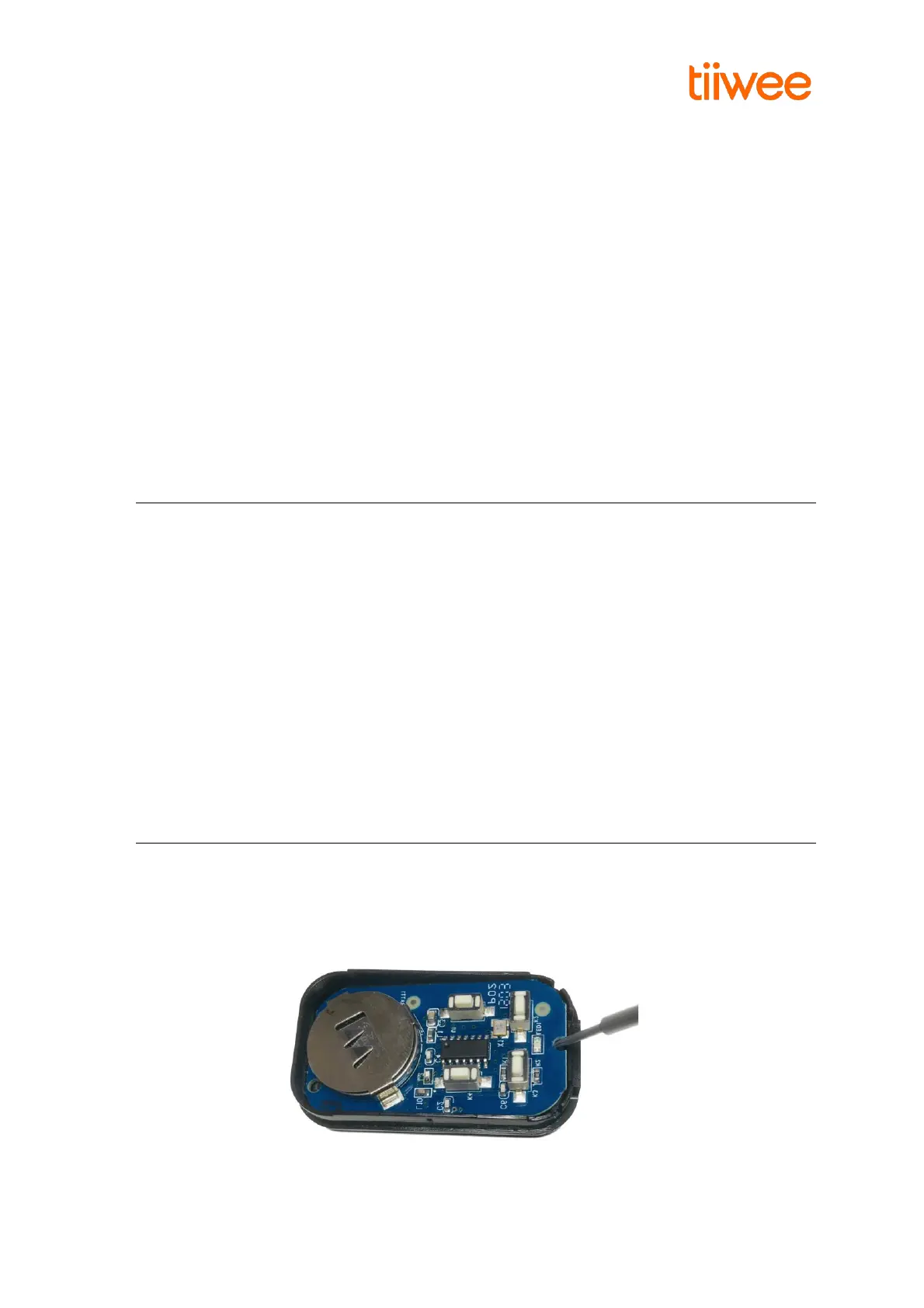
Remote control: Remove the 3 screws on the back of the remote control. Open the remote control.
Now, using a pin, nail or small screwdriver, lift the electronic board at the notch. This will give you
access to the battery. Gently remove the battery from its compartment by pushing it sideways. The
battery type is CR2032 (3V, Lithium battery). Please also refer to the image below:



 To Next Page