TECHNISONIC INDUSTRIES LIMITED
www.til.ca
TAF-550 Installation & Operating Instructions TiL 96RE187 Rev D
3-11
3.4.4 Selecting a Frequency
To
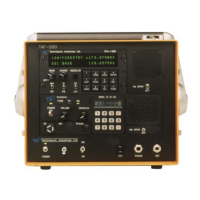
select a frequency, press the keypad digits in the sequence indicated (Refer to Fig 3.2 Base
Station Front and Rear Panel Layout, and Table 3.1 Operators Switches Controls and Indicators).
1st digit - must be 1 for 100 MHz, all other digits are ignored.
2nd digit - must be 1, 2 or 3, all other digits are ignored.
NOTE
Entry of 117 MHz fills 975 in remaining digits.
Entry of 138 MHz fills 000 in remaining digits.
4th digit - Can be any digit.
5th + 6th digits are paired.
Entry of 5th digit 0 results in 00 displayed.
Entry of 2 results in 25.
Entry of 5 results in 50.
Entry of 7 results in 75.
Examples:
Press
117.975 is displayed on screen.
Press
118.000 is displayed on screen.
Press
138.000 is displayed on screen.
After keypad entry of a desired frequency, normal Tx/Rx operation can begin or the frequency
can be stored as a channel as described in paragraph 3.4.5 (Storing a Frequency to a Channel).


 To Next Page