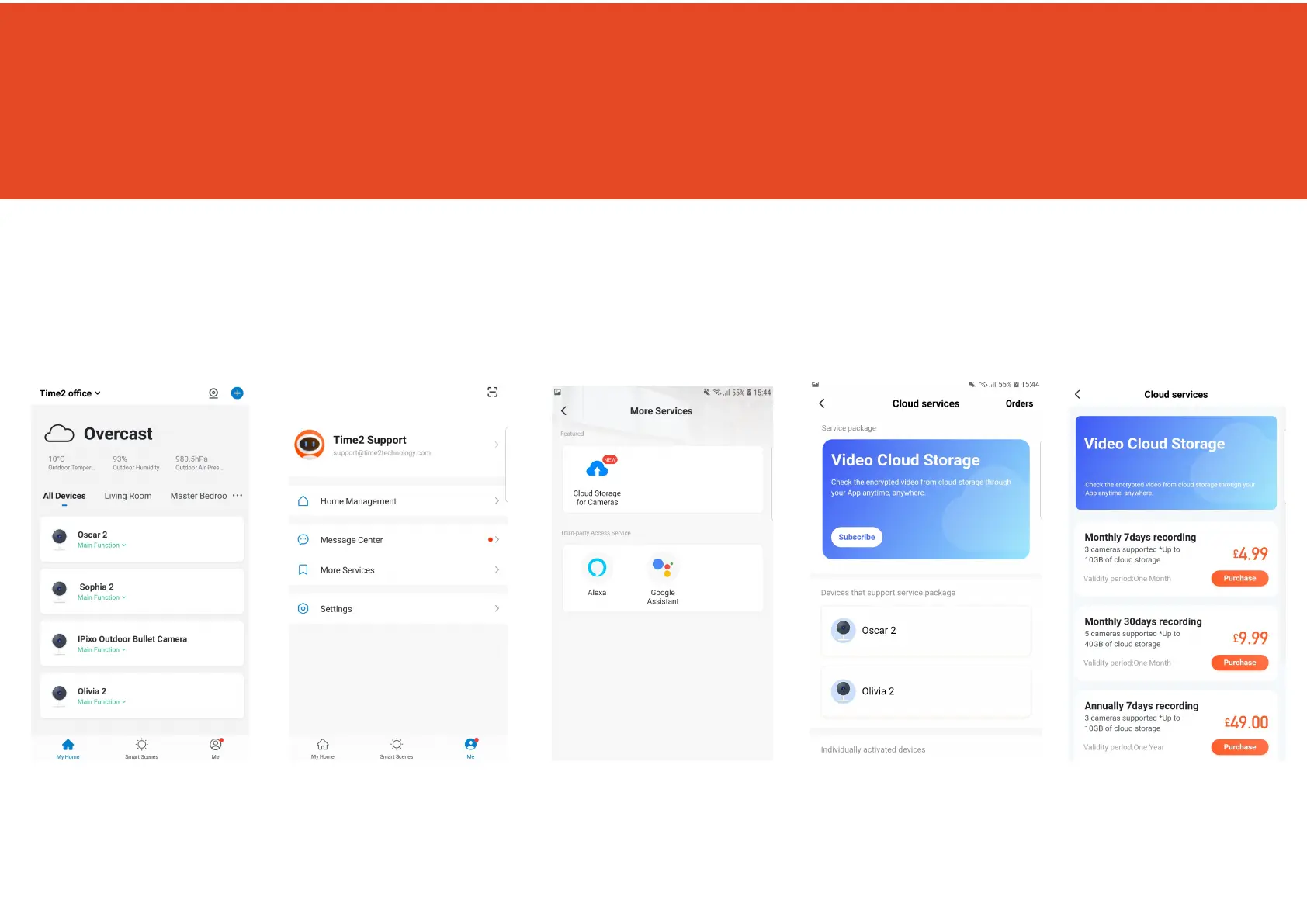
Cloud Storage for multiple cameras
Instead of paying per camera why not bundle your Cloud Storage.
Please note selecting this option will only set the camera to record when it detects movement.
Step 1 Step 2 Step 3 Step 4 Step 5
Click ‘ME’
Click ‘More Services’
Click ‘Cloud Storage
for cameras’
Click ‘Subscribe’ Choose which service
you would like.
You will then be directed
to make the payment.
9



 To Next Page