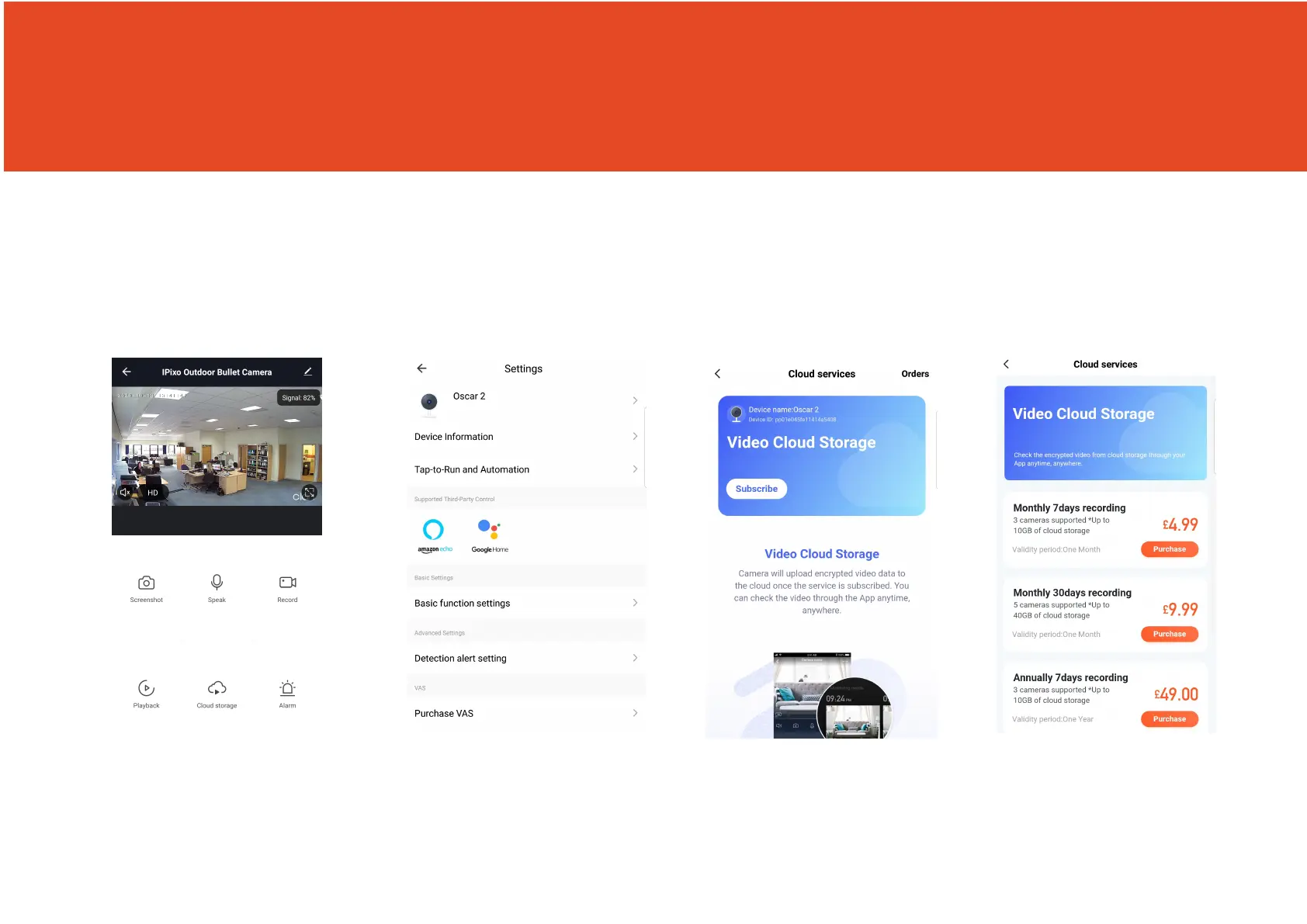
Cloud Storage for a single camera
If you would like Oscar to record, you will be required to inset a Miccro SD card
Alternatively, you can sign up to the optional cloud storage.
The camera can be set to record continuously or once it detects movement. You can also choose to store
the recorded footage for 7,14 or 30 days.
Step 1 Step 2
Step 3
Step 4
Click on the pencil icon Click on Purchase VAS Click Subscribe Choose which service you
would like.
You will be then directed
to make the payment.
8



 To Next Page