EasyManua.ls Logo

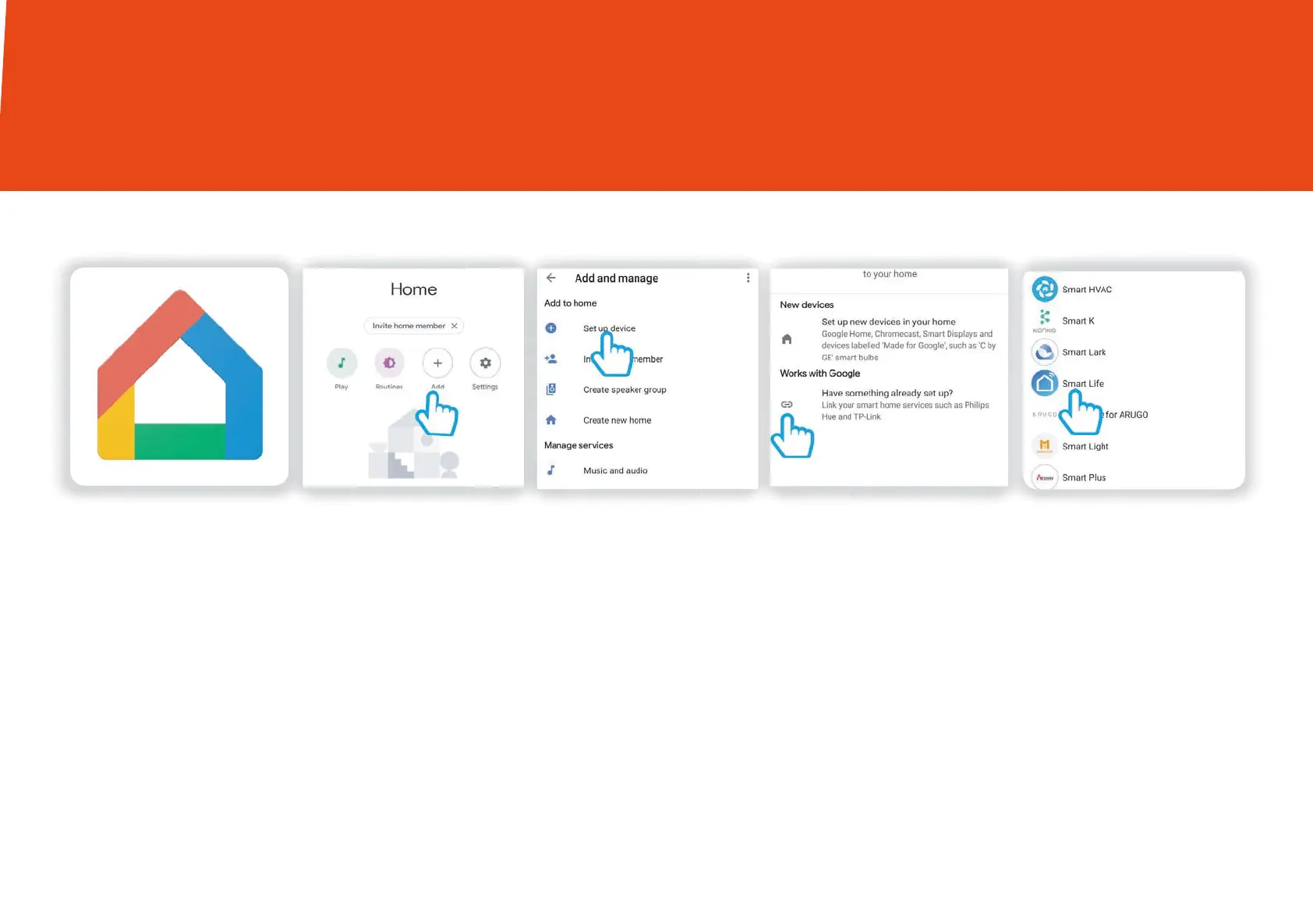
Time2 Oscar3 - Oscar3 and Google Chromecast - Initial Setup; Step 1 Click in to your Google Home App; Step 2 Find the Add icon; Step 3 Click Set up device

Default Icon
28 pages
Print Icon
To Next Page IconTo Next Page
To Previous Page IconTo Previous Page
Loading...
25
Sophia2 and Google Chromecast
Step 2 Step 3 Step 4
Step 1
Step 5
Find the “Addicon Click “Set up device” Then select the
“Works with Google” option
Click in to your
Google Home App
Scroll down the list to
select “after Smart Life
You are able to view Oscar3 on your TV using the Google Chromecast.
Oscar3 and Google Chromecast

Other manuals for Time2 Oscar3

Related product manuals