26
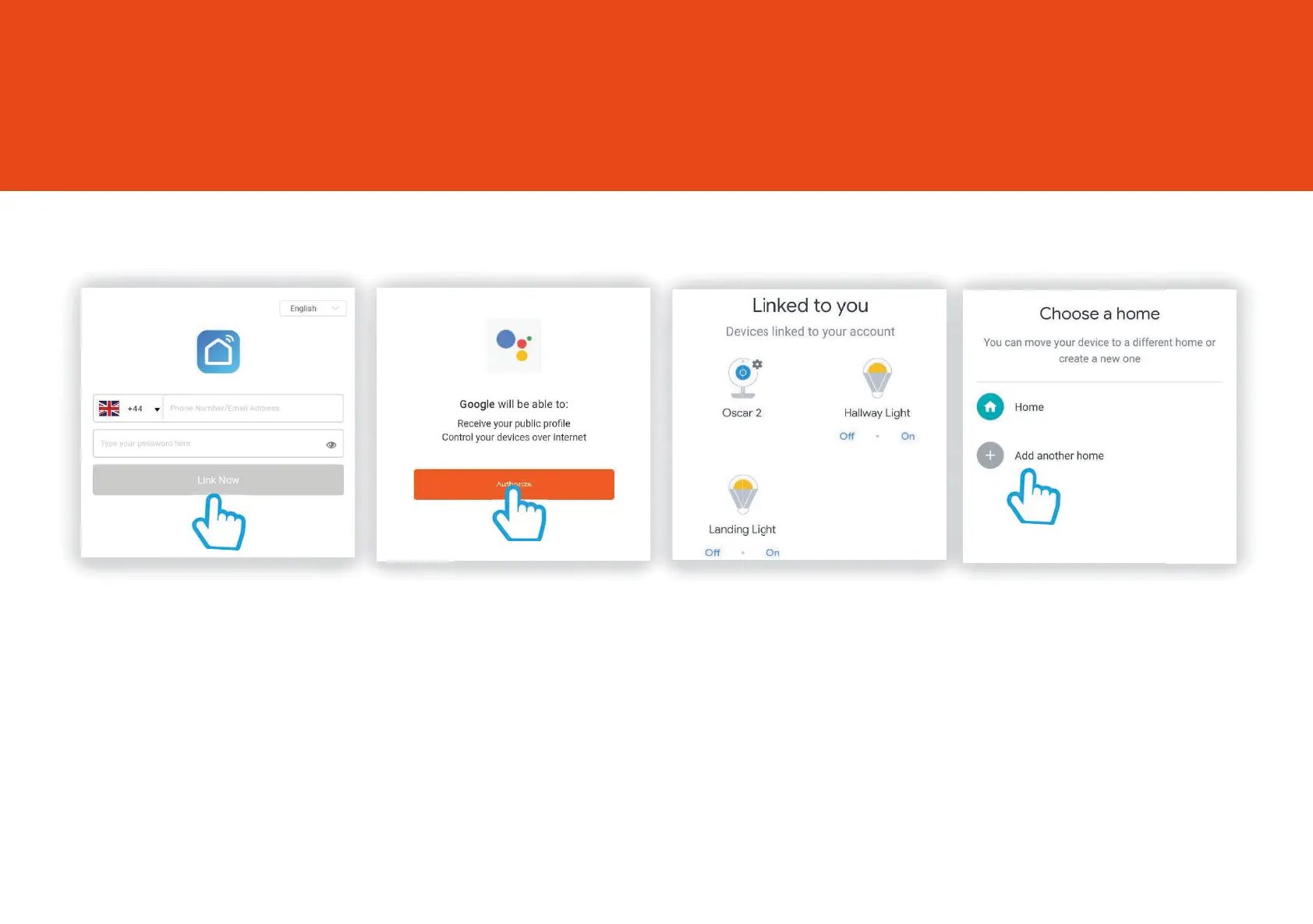
Step 6
“This will take you through to
a login page
Simply enter your “Clan at Home”
account details and click “Link Now”
Step 7
You’ll be asked to
authorize Google to access
your devices.
Click “Authorize”
Step 8
Your Clan device will then appear under “Linked to you”. You
can add the device to a room so you can voice
commands such as
“Hey Google, Turn the Lamp in the Living Room O”
”Lamp in the Living Room O”
Sophia2 and Google Chromecast
Oscar3 and Google Chromecast



 To Next Page