8
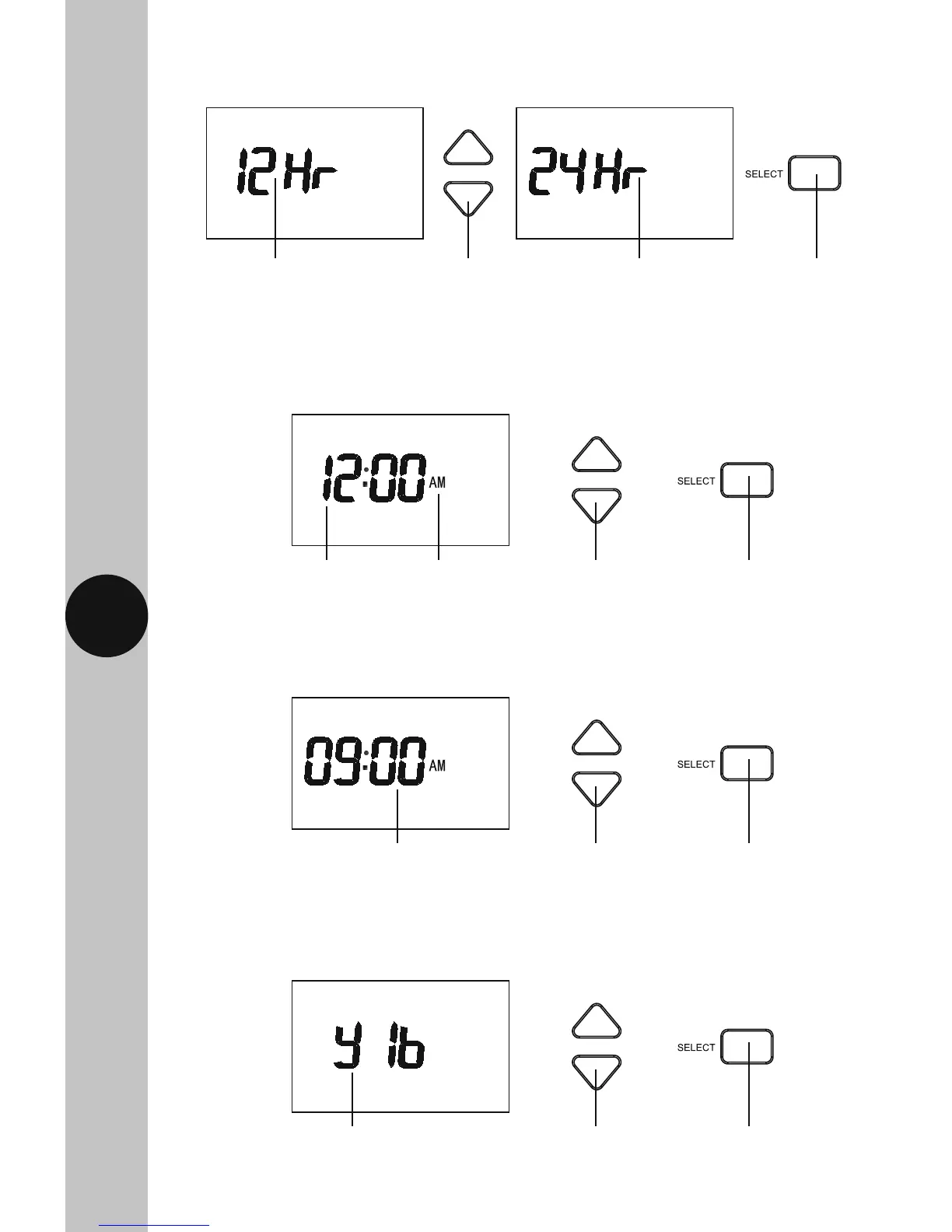
9.3 Use the Up/Down arrow buttons to either select 24Hr format, or leave
it at 12Hr format, and then press the Select button once to confirm.
9.4 The hour will to flash, use the Up/Down arrow buttons to alter the hour
and press the Select button once to confirm.
9.5 The minutes will flash, use the Up/Down arrow buttons to alter the
minutes and press the Select button once to confirm.
9.6 The year will flash, use the Up/Down arrow buttons to alter the year
and press the Select button once to confirm.
12Hr AM/PM format Use the Up/Down arrow
buttons to change
the time format
24Hr format Use the Select
button to
confirm
Use the Up/Down
arrow buttons to
change the hour
The hour will flash Example of
12Hr AM/
PM format
Use the Select
button to
confirm
Use the Up/Down
arrow buttons to
change the minutes
The minutes will flash Use the Select
button to
confirm
Use the Up/Down
arrow buttons to
change the year
The year will flash Use the Select
button to
confirm



 To Next Page