16
Manual Operation Mode (from the Receiver)
Note: This mode will allow you to manually turn the heating ON/OFF
via the receiver.
• Press the A/M button once on the receiver, and the blue Learn/Manual
light will illuminate.
• The frost symbol will appear and continuously flash on the screen. The
set temperature will change to 5°C, and the display will show the actual
temperature. The button surround, and display illumination will time out
after 5 seconds.
11. Programme Modes
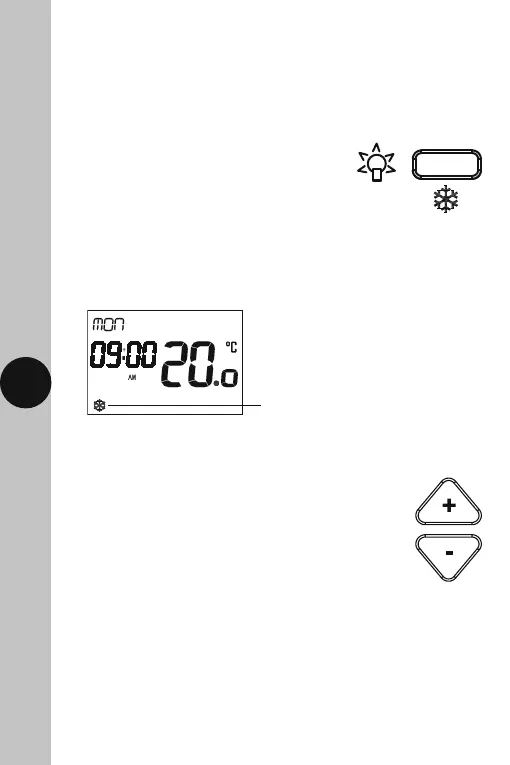
Frost Protection Mode
• Press the Light/Frost Protection button and hold
for 3 seconds, the button surround and display
light will illuminate.
Frost symbol will continuously
flash when frost protection
mode is active.
• To disable the frost protection mode, press and hold the Light/Frost
Protection button for 3 seconds. The frost symbol will disappear.
Sleep Mode
• Press and hold both the + and – buttons for 3 seconds.
Whilst active, all output will be suspended and the
display will turn OFF.
• Press any key to exit Sleep Mode.
• The display light will also time out after 15 seconds after the last button
is pressed.
• The Set button can be pressed three times to exit the date and time entry
at any stage.



 To Next Page