11
9. Setting the Time and Date
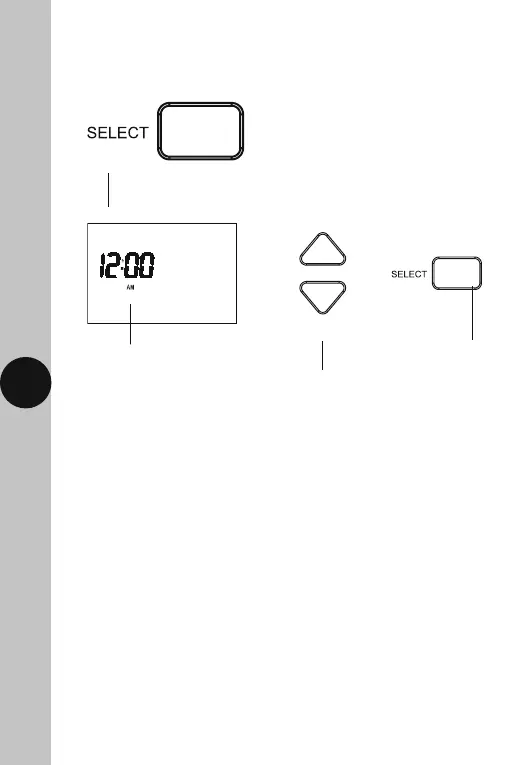
• To set/alter the time and date at any time, press and hold the
Select button for 3 seconds. The display light will illuminate.
• The hour will to flash, use the Up/Down (+/-) arrow buttons to alter
the hour and press the Select button once to confirm.
Use the Up/Down arrow
buttons to change the hour
The hour will flash
12Hr AM/PM format
Use the Select
button to confirm
• The minutes will flash, use the Up/Down arrow buttons to alter the
minutes and press the Select button once to confirm.
• The year will flash, use the Up/Down arrow buttons to alter the year
and press the Select button once to confirm.
• The month will flash, use the Up/Down arrow buttons to alter the month
and press the Select button once to confirm.
• The day will flash, use the Up/Down arrow buttons to alter the day
and press the Select button once to confirm.
• The daylight saving option (GMT=OFF/BST=ON) will flash, by default this
will be set to ON. Use the Up/Down arrow buttons to alter the setting
if required. Press the Select button once to confirm and return to re-enter
the date and time from the beginning, or press the Set button once
to confirm and exit.



 To Next Page