9
8. Pairing the Devices
• Make sure you have selected the desired DIP switch settings located
on the back of the transmitter.
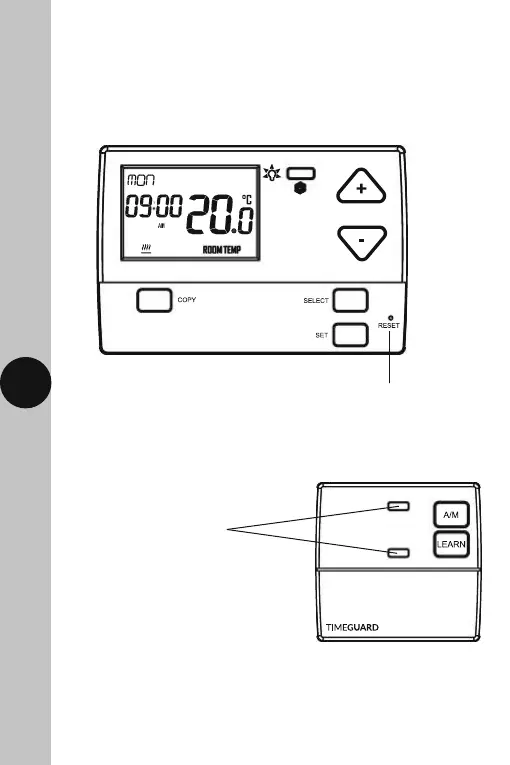
• Press the reset button of on the front of the transmitter, and connect
the power to the receiver.
Press the Reset button located
beneath the drop down flap
• Both the Learn/Manual light, and the Red output light on the receiver
will illuminate for approximately 3 seconds, then go out.
Both the Learn/Manual light,
and Red output light will
illuminate for approximately
3 seconds, then go out.



 To Next Page