
 Need help?
Do you have a question about the Timex M05A and is the answer not in the manual?
Guidelines for safe handling and precautions regarding the internal Lithium-polymer battery.
Precautions against heat exposure, high temperatures, and puncturing or incinerating the unit.
Recommended temperature ranges for storing, charging, and operating the device.
Information on charging cable, disposal, medical disclaimers, and safe screen use.
Details on model, memory, screen, Bluetooth, functions, and battery of the device.
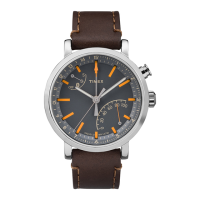
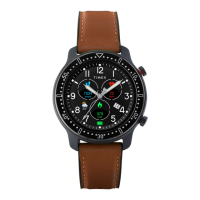
Illustrations showing the watch and its charging accessories.
Instructions for downloading and installing the companion mobile application.
Minimum operating system requirements for iOS and Android devices.
Visual examples of different watch faces and primary screen layouts.
Description of the watch's primary clock display feature.
How to view daily steps, calories, and distance, and sync data to the app.
Instructions for measuring and viewing heart rate data on the watch.
How weather data is synchronized and displayed from the app.
How message notifications are received and stored on the watch.
How the watch automatically tracks and records sleep data.
Using the watch to remotely control music playback on a connected phone.
Entering user details in the app for accurate calorie estimation and program recommendations.
Step-by-step guide to connect the watch to a smartphone via Bluetooth.
How the watch automatically syncs data like steps, heart rate, and sports after pairing.
Accessing and adjusting daily step count goals and viewing historical data.
How the watch monitors and analyzes sleep schedules and quality.
How the watch monitors heart rate and syncs data to the app, including real-time measurement.
Features for connecting with friends and tracking competitive rankings.
Setting measurement units and temperature display preferences.
Using the app to locate a paired watch through vibration.
Instructions for updating the watch firmware via the companion app.
Using the watch to track various physical activities like walking, biking, and running.
How to start, pause, stop, and save workout sessions, including setting targets.
Options for sharing workout data with third-party apps like Strava and Google Fit.
Setting up the watch to receive incoming call and message notifications from a phone.
Configuring which app notifications (SMS, Call, Social Media) are displayed on the watch.
Setting up scheduled alerts and events to be displayed on the watch.
Enabling and configuring reminders for inactivity periods.
Setting up periodic reminders to drink water throughout the day.
Creating and managing multiple alarm clocks directly on the watch.
Using the watch to trigger the phone's camera remotely.
Configuring notification silence and screen activation via wrist movement.
Setting time format and restoring the watch to factory default settings.
Procedure for disconnecting the watch from the paired smartphone.
Information on Bluetooth device communication and radio frequency.
Guidelines for recycling electronic products and information on the non-removable battery.
Precautions for using the device in aircraft, hospitals, and near medical devices.
The iConnect Kids Active smartwatch is designed to help children stay active and connected, offering a range of features that promote physical activity, monitor sleep, and provide convenient notifications. This user-friendly device is paired with the iConnect By Timex 2 App, available on both Apple APP Store and Google Play Store, ensuring seamless integration with most modern smartphones.
The primary function of the iConnect Kids Active is to track and encourage physical activity. It records daily steps, calories burned, and distance covered, providing a comprehensive overview of a child's activity levels. This data can be viewed directly on the watch and is synchronized with the companion app for more detailed analysis. The watch also includes a "Motion Record" feature, allowing users to track specific workouts such as walking, running, biking, hiking, and indoor runs. For each workout, the watch can record distance, time, and calories, and users can set target goals for these metrics. The app provides real-time location tracking during workouts, which can be viewed on a map.
Beyond activity tracking, the smartwatch incorporates a heart rate monitor. Users can initiate a heart rate measurement by pressing and holding the touch button for 3 seconds. The watch will display real-time heart rate data after about 15 seconds and automatically stop measurement after 40 seconds. The app also allows for real-time heart rate measurement with a trajectory map.
Sleep monitoring is another key function. The watch automatically tracks sleep patterns from 10:00 PM to 9:00 AM, recording the previous night's sleep duration. This sleep data is then synchronized with the app, providing insights into sleep quality based on nocturnal movements.
Connectivity features are central to the iConnect Kids Active. Once paired with a smartphone via Bluetooth, the watch receives notifications for incoming calls, messages, and alerts from various third-party applications like Facebook. The watch can store up to 5 unread messages. It also offers remote music control, allowing users to play, pause, skip tracks, and go back to previous songs directly from the watch when connected to the app.
For entertainment, the watch includes a simple basketball game that can be controlled with single touches on the tap button. A stopwatch function is also available, allowing users to start, pause, reset, and quit time counting with simple touch button interactions.
The iConnect Kids Active is designed for ease of use, primarily relying on a single touch button for navigation and interaction.
The iConnect Kids Active is designed with durability and longevity in mind, with several features and recommendations for maintenance.
 General
| Model Number | M05A |
|---|---|
| Brand | Timex |
| Category | Watch |
| Case Material | Resin |
| Water Resistance | 50 meters |
| Movement | Quartz |
| Indiglo Backlight | Yes |






 To Next Page