9
P10
AM
FM
This unit will store up to 20 station presets, 10 AM and 10 FM.
SETTING RADIO PRESETS
PRESET RADIO SETTING AND OPERATION
2 SECS
3
4
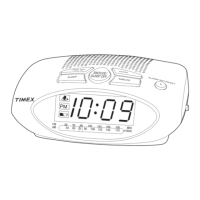
Press and hold the Clock/Presets Button to enter presetting mode.
Press and release the Hour/ + Button or Minute/ – Button to select the
preset number you wish to assign (P01 - P10).
2
Press and release the Hour/ + Button or Minute/ – Button to tune radio to
a station you want to assign to a preset. Press and hold to seek the next clear
station.
Press and release the Power/Mode/Alarm Reset Button as needed to
turn unit On and select AM or FM radio band.
1
OR
HOUR
OR
HOUR
MODE
MODE


 To Next Page