3 REV. 00
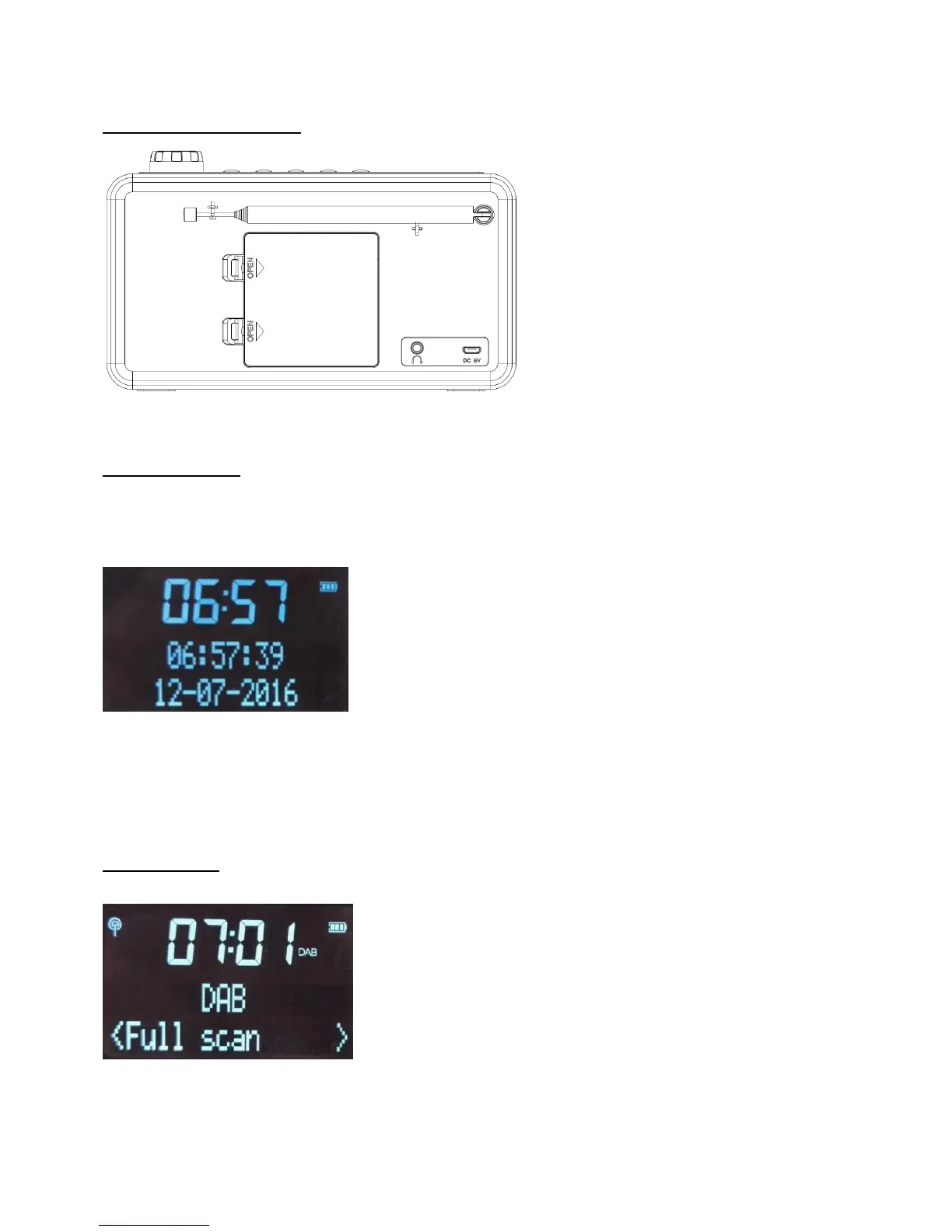
CONNECTORS & ANTENNA:
GETTING STARTED
1. Install 4xAA batteries or connect the unit to USB cable/adapter, long press POWER button to turn on, LCD display will
light up to show “Welcome to Tiny Audio Digital radio” to go to Standby mode, “Time is not set” and setting of time will be
displayed.
2. It will go to DAB mode as default to search DAB stations and play the 1
st
one after search.
3. Unclip the antenna and fully extend it.
4. Time will be synchronized automatically after receiving DAB radio stations.
DAB FUNCTION:
Press DAB/FM to switch to DAB mode and screen will display signal strength/TIME/DAB status.
Full scan
The unit can search throughout full range under DAB mode with display “Scanning…0” on the screen. After full scan,
it will display number of searched stations on screen, store them automatically and play the 1
st
searched station.
Manual tune
1. Press DAB/FM to go to DAB mode
1. ANT: 720MM 50 OHM antenna.
2. MICRO USB 5.0V 1A: plug to USB cable or
external AC adapter.
3. EARPHONE JACK:plug to earphone or connect
to other music devices which have 3.5mm AUX
connector.
4. BATTERY compartment: to install 4xAA batteries.



 To Next Page