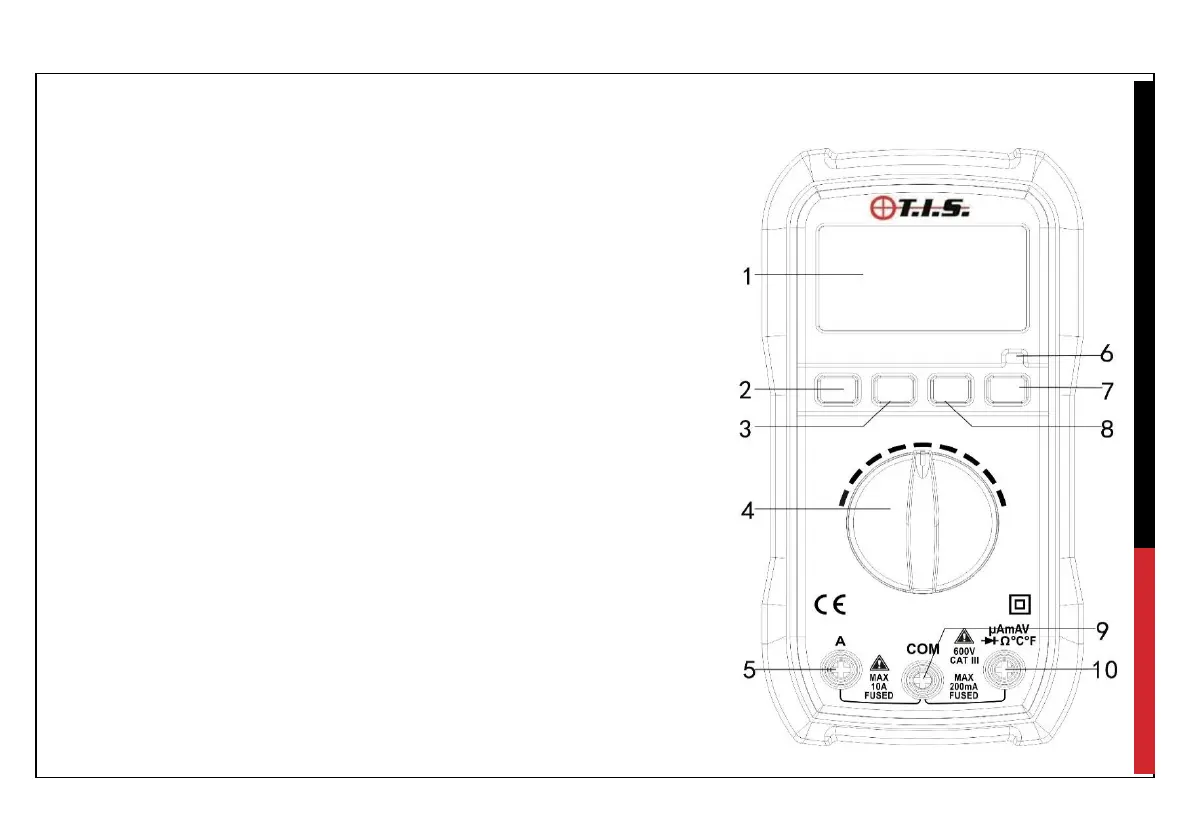
4.0 Instrument Layout, display information & symbols
1. LCD display
2. Select Button (Switch the measurements of AC,
DC current; Temperature, Diode & Continuity check)
3. MAX Hold button
4. Rotary/ Function Selector Switch
5. 10A, Input Terminal
6. LED Indicator
7. Backlight Button
8. Data Hold Button
9. COM, Input Terminal
10. V,Ω,mA, Input Terminal


 To Next Page