5.0 - Description of Measurement Operation
AC / DC Voltage Measurement
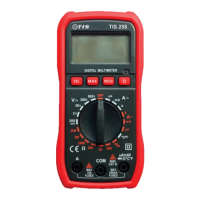
1) Set the rotary switch to the voltage position. (V / V~)
2) If required press the select button to change the voltage sine wave from DC V to AC (V~)
3) Insert the black test lead banana plug into the negative COM input terminal & insert the red
test lead banana plug into the positive V/ΩmA input terminal.
4) Connect test leads to the conductors to be tested.
5) Read the voltage in the LCD display.
PLEASE NOTE: That the polarity of red test lead must be connected to the positive conductor
to indicate the positive voltage measurement when conducting DC voltage measurements.


 To Next Page