EasyManua.ls Logo

TK-STAR TK906 - Configure GPRS and APN Settings

TK-STAR TK906
20 pages
Print Icon
To Next Page IconTo Next Page
To Previous Page IconTo Previous Page
Loading...
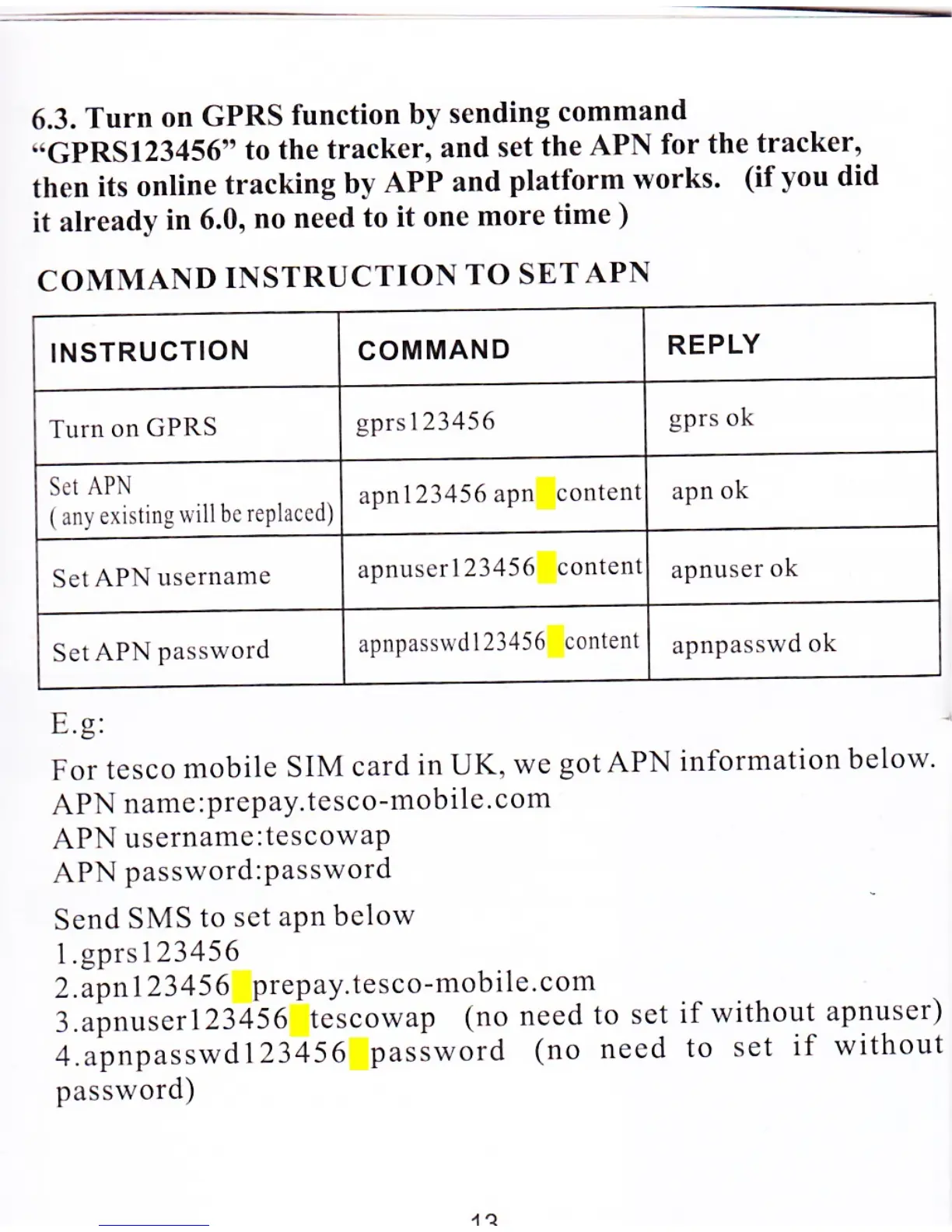
6.3.
Turn
on
GPRS
function
by
sending
command
"GPRS123456"
to
the tracker,
and set
the
APN
for
the
tracker,
then
its
online
tracking
by
APP
and
platform
works'
(ifyou did
it
already
in 6.0,
no
need
to it one
more
time
)
COMMAND
INSTRUCTION
TO
SETAPN
INSTRUCTION
COMMAND
REPLY
Turn
on
GPRS
gprsl23456
gprs
ok
Set
APN
(
any
existing
will bc
rePlaccd)
apnl23456
apn
content
apn
ok
Set
APN
username
apnuserl23456
contenl
apnuser
ok
Set
APN
password
apnpasswdl23456
content
apnpasswd
ok
E.g:
For
tesco
mobile
SIM
card
in UK,
we
gotAPN
APN
name
:prepay.tesco-mobile.com
APN
username:tescowaP
APN
password:Password
Send
SMS
to sct
aPn
below
I .gprs
I
2345
6
2.apnl}3
45
6
prepay.tesco-mobile.com
3.apnuser123456
tescowap
(no
need
to
set
4.apnpasswd123456
password
(no
need
password)
information
below
if without
apnuser)
to set
if without

Related product manuals