10
5.16Sleeping power-save mode
On normal status, when the unit stoped over 10minutes, it will change to sleeping mode, on this mode, the
power consumption is 4mah/h only. When it get any command or been moved, it will start GPS locating
automatically.
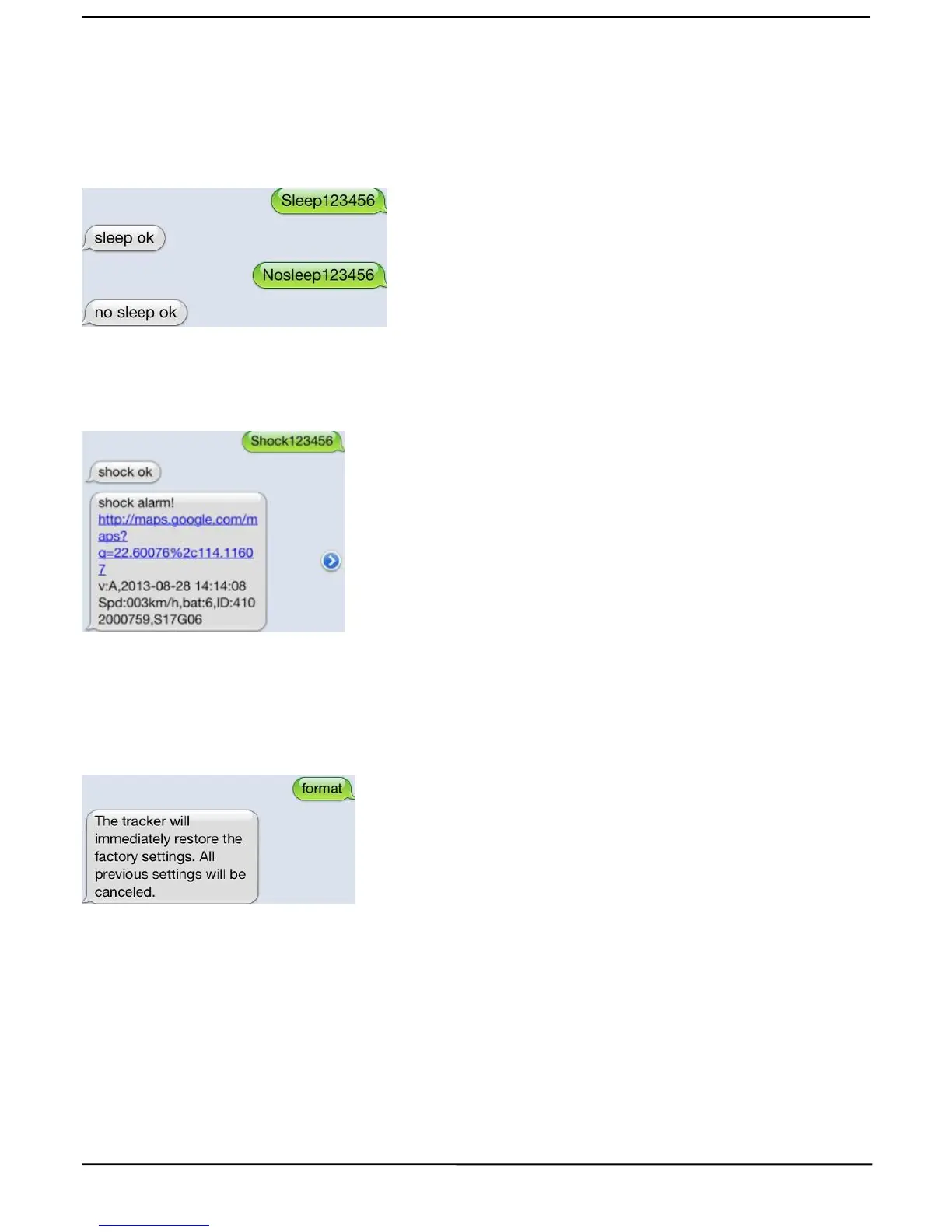
Forced sleeping mode, Setting: Send SMS “sleep+password”, the unit will reply “sleep ok”, it enter to forced
sleeping power-save mode.
Start device, send SMS “nosleep+password”,the unit will reply “nosleep ok”, it start GPRS and GPS locating.
5.17 Shock alert
Note: It is effective sending by authorized number
Send SMS command“shock+password”, the unit will reply “shock ok.”
Cancel: Send SMS command “noshock+password”, the unit will reply “noshock ok.”
5.18Restore factory settings
Note: It is effective sending by authorized number
Send SMS command “format”, the unit will reply “The tracher will immediateiy restore the factory settings.All previous
settings will be canceled.”
5.19 GPRS setting



 To Next Page