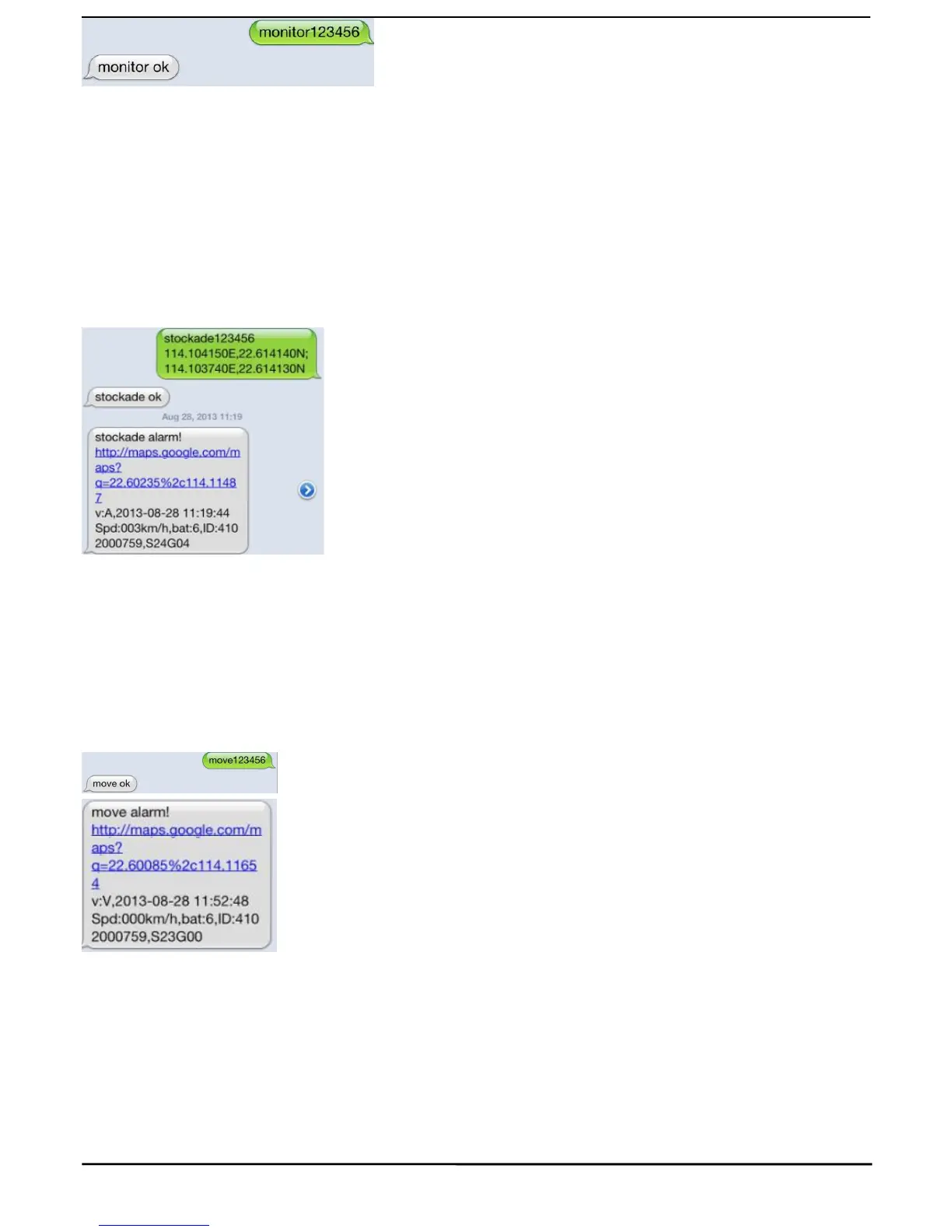
Set up a geo-fence for the unit to restrict its movements within a district. The unit will send the message to the
authorized numbers when it breaches the district.
5.10.1 Set up: When the unit stays immobile in a place for 3-10 minutes, the user can Send SMS:
“stockade+password+space+latitude,longitude; latitude,longitude” to unit to set the restricted district.
Remark: The first latitude&longitude is coordinate of the top left corner of the Geo-fence, while the second
latitude&longitude is the coordinate of the bottom right corner.
5.10.2 Cancel: Send SMS:” nostockade+password” to deactivate this function,tracker will reply “nostockade
ok”.
5.11Movement alert
5.11.1 Set up: When the unit stays immobile in a place for 3-10 minutes, the user can send SMS:
“move+password” to the unit, then the unit will reply “move ok!”. In case of such a movement
(
the unit default
distance is 500M), it will send SMS “Move ALARM+ Latitude and longitude” to the authorized number
5.11.2 Cancel: Send SMS:” nomove+password” to deactivate the movement alert, tracker will reply “nomove
5.12.1 Set up: Send SMS: “speed+password+space+080” to the unit (suppose the speed is 80km/h), and it will
reply “speed ok!”. When the target moves exceeding 80 km/h, the unit will send SMS :”speed ALARM !+
Latitude and longitude” to the authorized numbers every 5 minutes.
5.12.2 Cancel: Send SMS “nospeed+password” to deactivate the overspeed alarm, tracker will reply “nospeed
Remark: The recommended speed should be not less than 50km/h. For below that rate, it will be effected the



 To Next Page