7
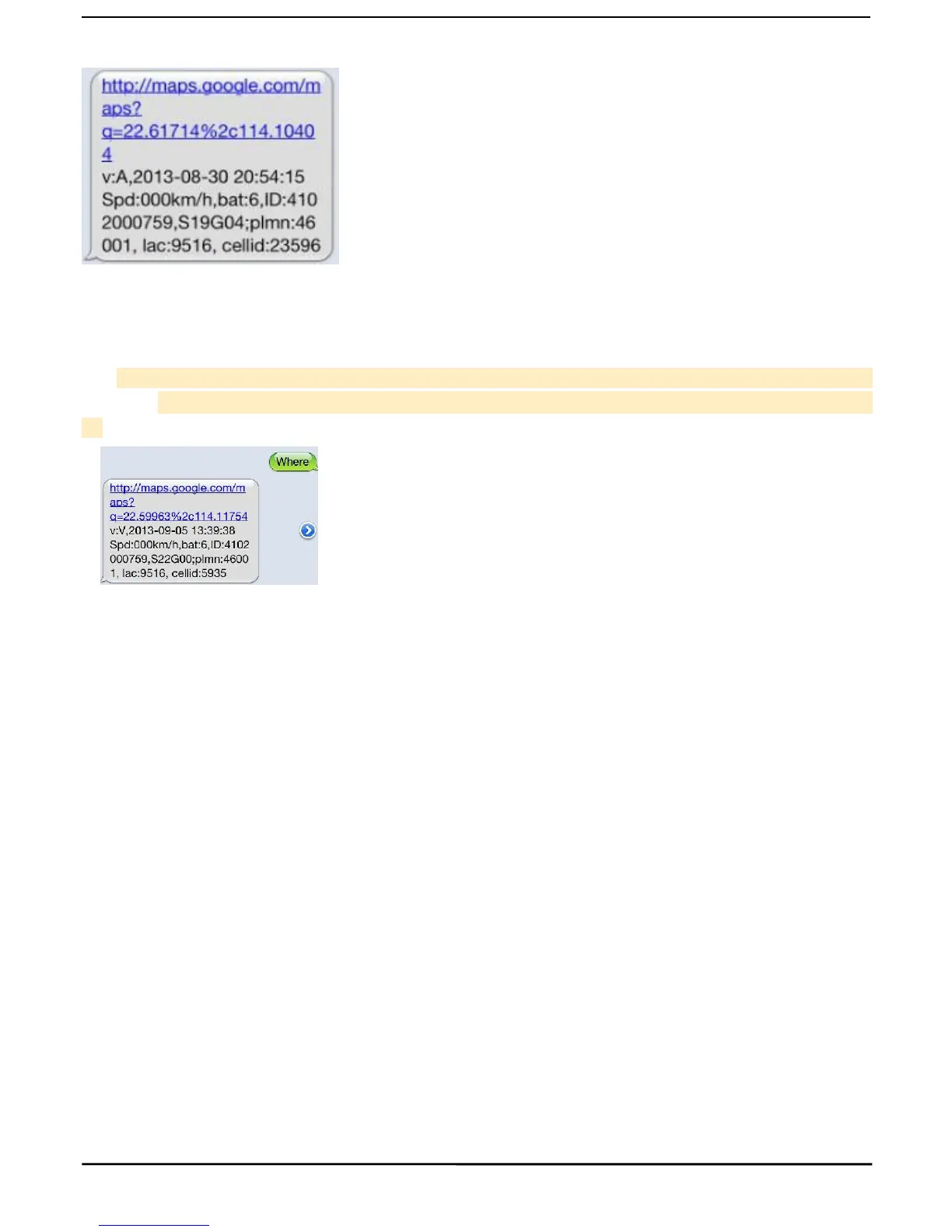
longitude information, as below:
5.7Single Locating
5.7.1 If there is no authorized number, when any number dials up the unit, it will report a Geo-info; If there is
already an authorized number, then it will not respond when an unauthorized number calls it up.
5.7.2Single message inquires the latitude and longitude information, any telephone number can send instruction
“where” to the equipment, then the equipment will reply the latitude and longitude information to this telepho
5.7.3 When an authorized number dials up the unit, it will hang up and report a real-time Geo-info as below:
*Tracking location, When GPS signals is weak, the position of latitude and longitude included in the SMS is
the position that the tracker received GPS signals at last. If it is different with its exact current location, pay
attention to check the time included in the SMS you got.
5.8.1 Send SMS command “t030s005n+password” to the tracker device, it will report the “no reply” at 30s
intervals for 5 times. (s:second, m:minute, h:hour). This command setting must be in 3 digits and the maximum
5.8.2 Unlimited times auto track: Send SMS “t030s***n+password” to the tracker device, it will reply the “no
reply” continuously at 30 seconds intervals.
5.8.3 Cancellation: Send SMS “notn+password” to the tracker device, it will report the “notn ok”.
Note: the interval must not less than 20s.
5.9 Monitor (Voice Surveillance)
5.9.1 The command to switch between Track and Monitor are “tracker” and “ monitor”.
5.9.2 The default mode is “track” (Track mode).
5.9.3 Send SMS “monitor+password” to the unit, and it will reply “monitor ok!” and switch to “monitor” mode.
5.9.4 Send SMS “tracker+password” to the unit, it will reply “tracker ok!” and restore to “track” mode.



 To Next Page