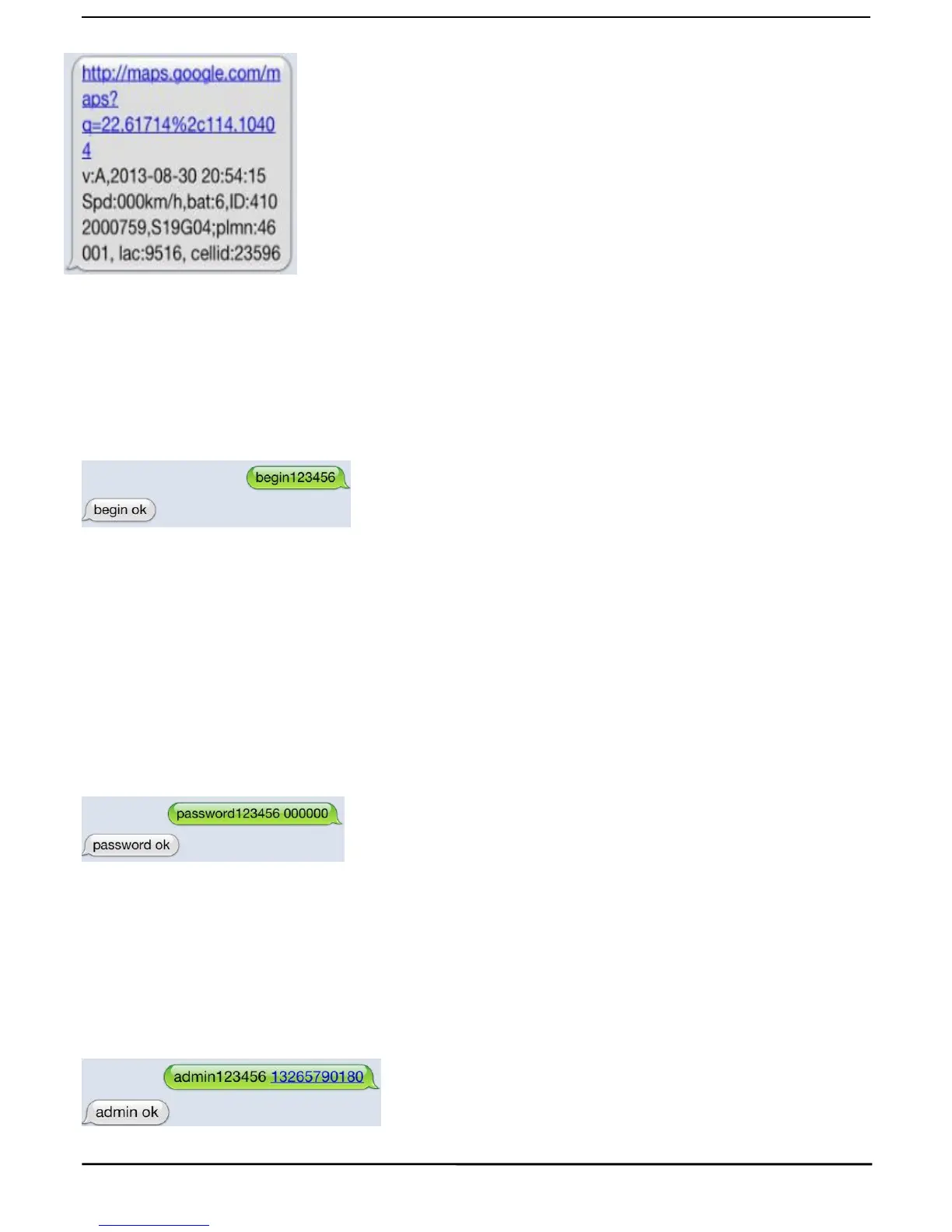
1.Google link: click link, there is map when positioning ok, no map means
2.V:A GPS signal ok.V:V no GPS signal
3.2013-08-30 20:54:15: the last time receive GPS signal.
4.Spd:000km/h: the speed of tracker ran.
5.Bat:6 battery balance(the range is from 1 to 9)
6.ID:4102000759: ID code of device(used for connect tracking website or
7.S19G04
;
plmn
:
46001 GSM
operator
data
8.Lac
:
9516
,
cellid:23596 LBS data
Send “begin+password” in SMS to the unit, it will reply “begin ok” and initialize all the settings. (Default
For example, send SMS“ begin123456” to the tracker via a cell phone, If succeeded,
5.5.1 Set Password: Send sms: “password+old password+space+new password” to the unit to change the
For Example, pls send sms: “ password123456 000000” to terminal device, it will reply sms: “password OK”.
New password 000000 changed in success.
5.5.2 Be sure keep the new password in mind, you have to upload the software to restore the original setting in
case of losing the new password.
5.5.3 Make sure the new password is in 6 digits Arabic numbers, or the tracker can not recognize the password.
5.5.4 Make sure that all the symbol
“
+
”
in sms commends is just for quick understanding, which don’t need to
enter “+” in sms, and “space” means press the spacebar button of the cell phone.
5.6Authorization
5.6.1 Send SMS:“ admin+password+space+cell phone number” to set up a authorized number. The other
authorized numbers should be set by the first authorized number. If the number is successfully authorized, the
unit will reply “admin ok!” in SMS.
5.6.2 Send SMS:“ noadmin+password+space+authorized number” to delete the authorized number.
for example, please send
:“
admin123456 13265790180
”
to tracker to set 13265790180 as an authorized
5.6.5When the authorized number call the device, it will hang up your phone and reply a real-time latitude and



 To Next Page