accuracy by gps signals drift etc.
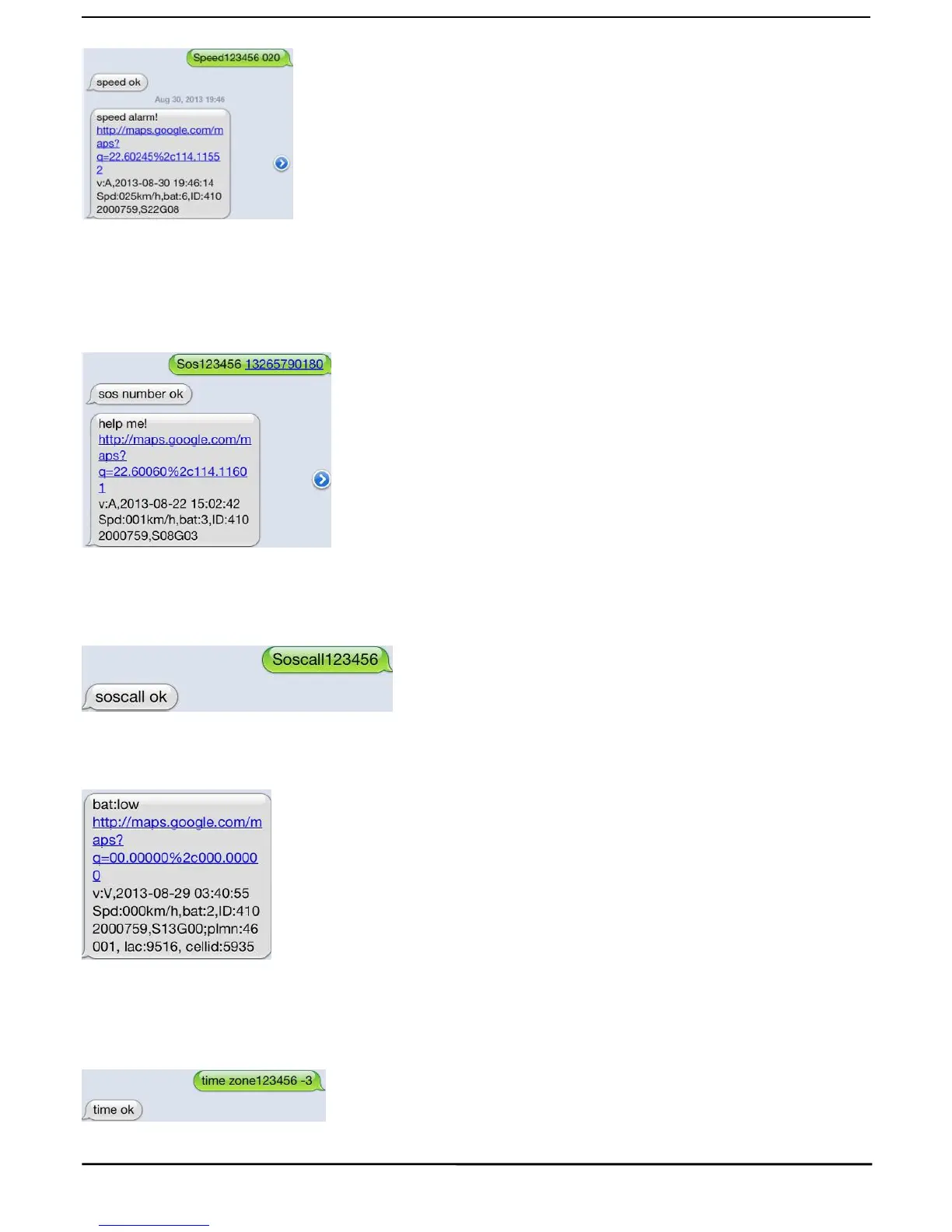
5.13.1 Set SOS number, Send SMS: “sos+password+space+cell phone number
”
for example, please send:“ sos123456 13265790180” to tracker to set 13265790180 as a SOS number.
5.13.2 Press the SOS for 3 seconds, it will send “help me!+ Latitude and longitude” to all the SOS numbers
5.13.2SOS call mode
Set: Send SMS “soscall+password”, the unit will reply”soscall ok”.
Press the SOS for 3 seconds, it will send “help me!+ Latitude and longitude” to all the authorized numbers, then
it will call the SOS number, if need to talk, the user need to plug the headphone.
5.14Low battery alert
When GPS device battery is going to be about 3.7V, it will send SMS: “bat:l” at 30 minutes interval.
5.15Terminal (local) Time Setting
Send SMS “time+space+zone+password+space+local time”.
For example, Send SMS “time zone123456 8” (time zone of China).
If the local time zone is negative as “-3”, then it should set as SMS: “time zone123456 -3”.



 To Next Page