USER MANUAL SAGA
Page 16 of 47
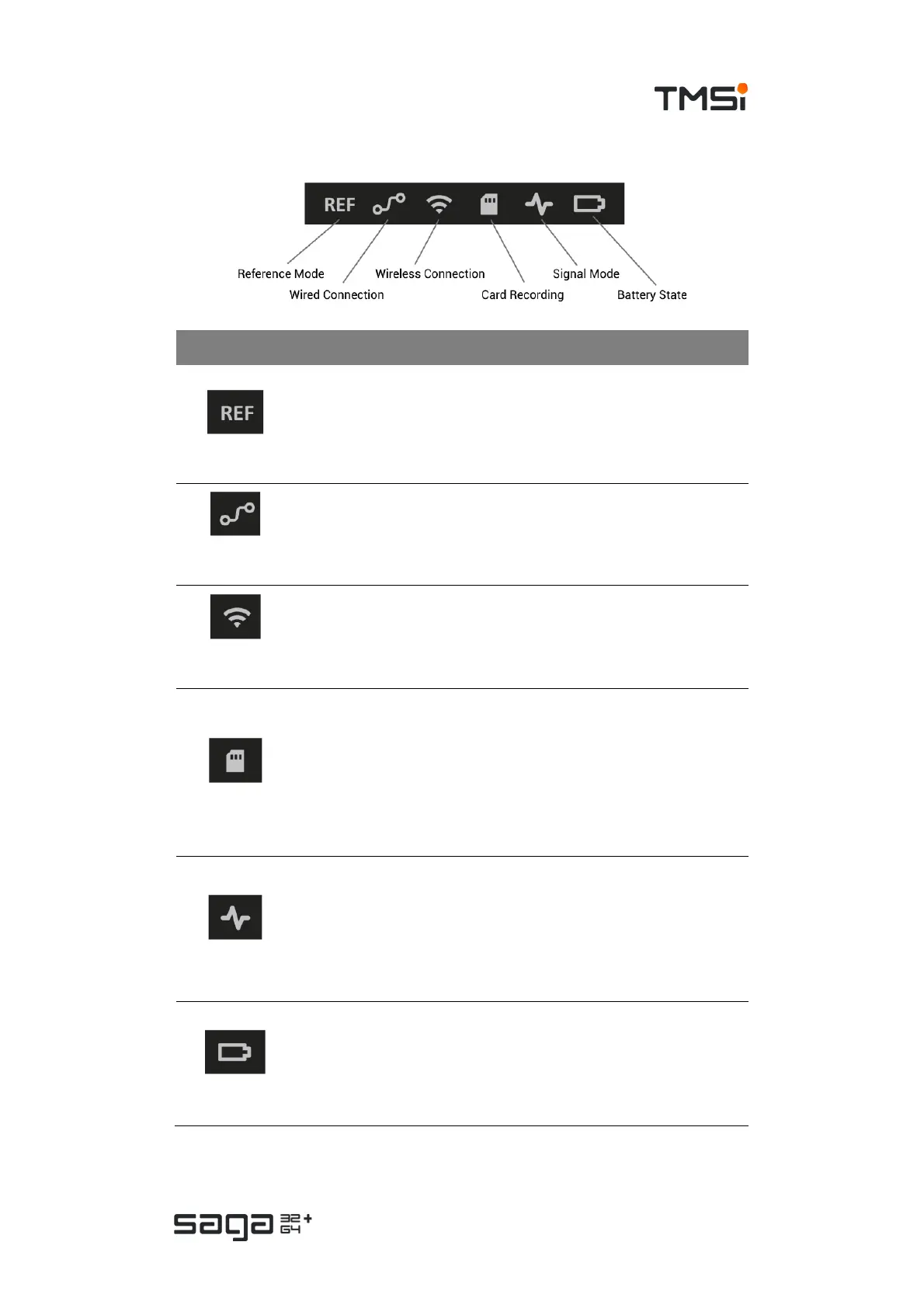
Status Indicators
Indicator Function and states
Reference Mode
• OFF: Average Reference mode
• GREEN (solid): Common Reference mode
• ORANGE (solid): Common Reference not available
• ORANGE (blinking): Common Reference disconnected after start
recording, device switched to Average Reference mode.
Wired
Connection
• OFF: not using fiber connection
• GREEN (solid): Connection with Docking Station via fiber
•
Wireless
Connection
• OFF: Wi-Fi disabled / not looking for Docking Station
• GREEN (solid): Wireless connection, no data transmission
• BLUE (blinking): No Wi-Fi Link, looking for Docking Station
• ORANGE (blinking): Wireless connection lost
Card Recording
• OFF: there is no (valid) card recording configuration present/active
• GREEN (solid): Card recording configuration loaded; idle
• GREEN (blinking): Card recording active
• BLUE (solid): Card in Configuration / Read-out mode; idle
• BLUE (blinking): Writing Configuration / Downloading data
• ORANGE (solid): Card error (full, no repair mode possible)
• ORANGE (blinking): Card almost full
Signal Mode
• OFF: Data Recorder is off
• GREEN (solid): Device is in Signal mode
• GREEN (blinking): Signal data transmission active
• BLUE (solid): Device is in Impedance mode
• BLUE (blinking): Impedance data transmission active
• GREEN/BLUE (blinking): Device is booting
Battery State
• OFF: Battery is not charging
• GREEN (solid): Battery fully charged
• BLUE (solid): Battery charging
• ORANGE (solid): Battery error
• ORANGE (blinking): Battery low



 To Next Page