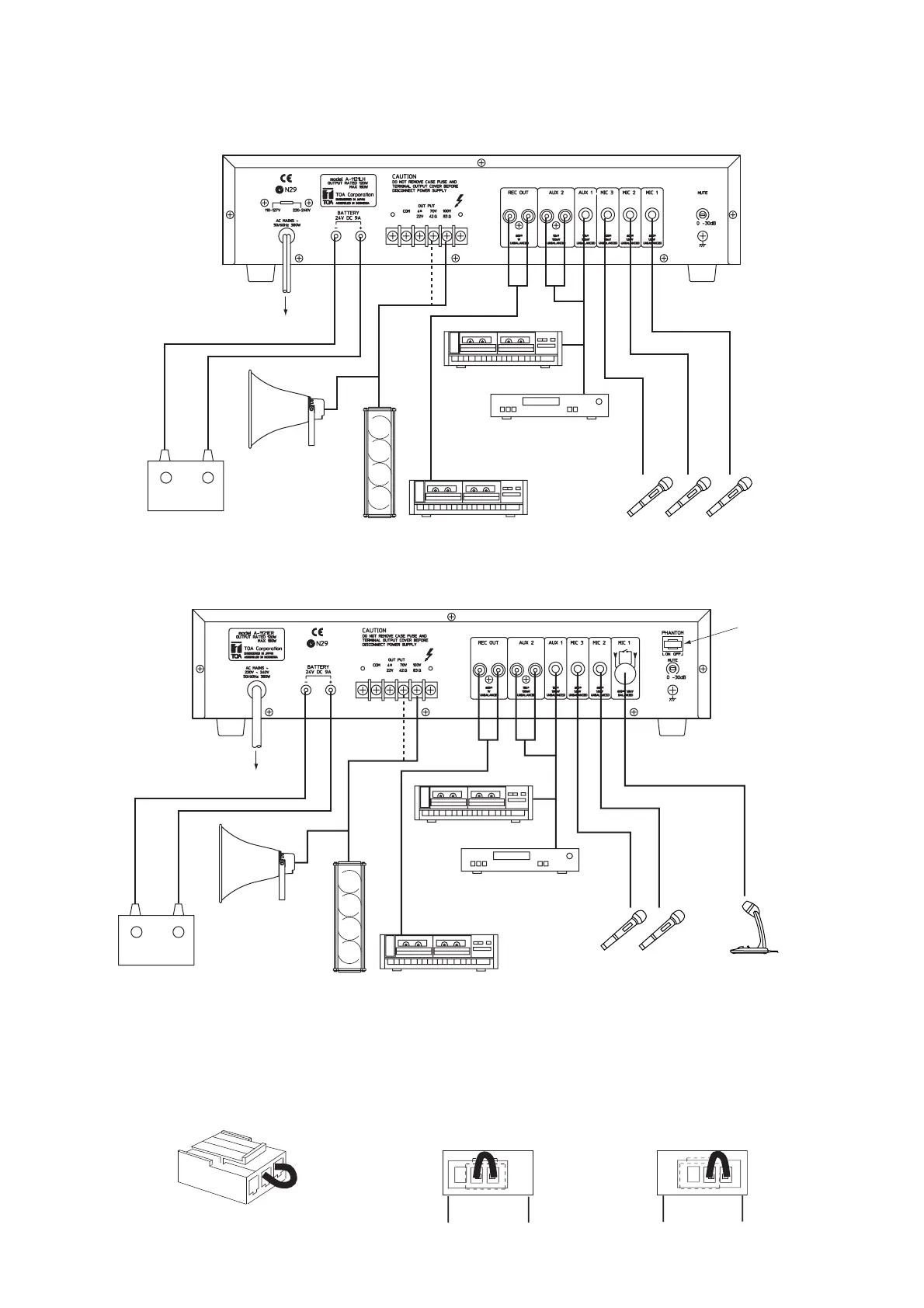
AC mains
+
-
12 V DC Battery (A-1031, A-1061)
24 V DC Battery (A-1121)
Horn speaker
Column speaker
Cassette tape recorder
Cassette tape player
or Radio tuner
Microphones (600 Ω, unbalanced)
*1 Phantom power switch (plug)
The setting position of this phantom plug switches on or off the phantom power to be supplied to MIC 1 input for
condenser microphones. Insert the plug in the position shown in Figure A to switch on the phantom power, and in the
position shown in Figure B to switch it off. The plug is set to the OFF position at the factory. Be sure to check the
microphone specifications when using the phantom power.
Fig. A Fig. B


 To Next Page