16
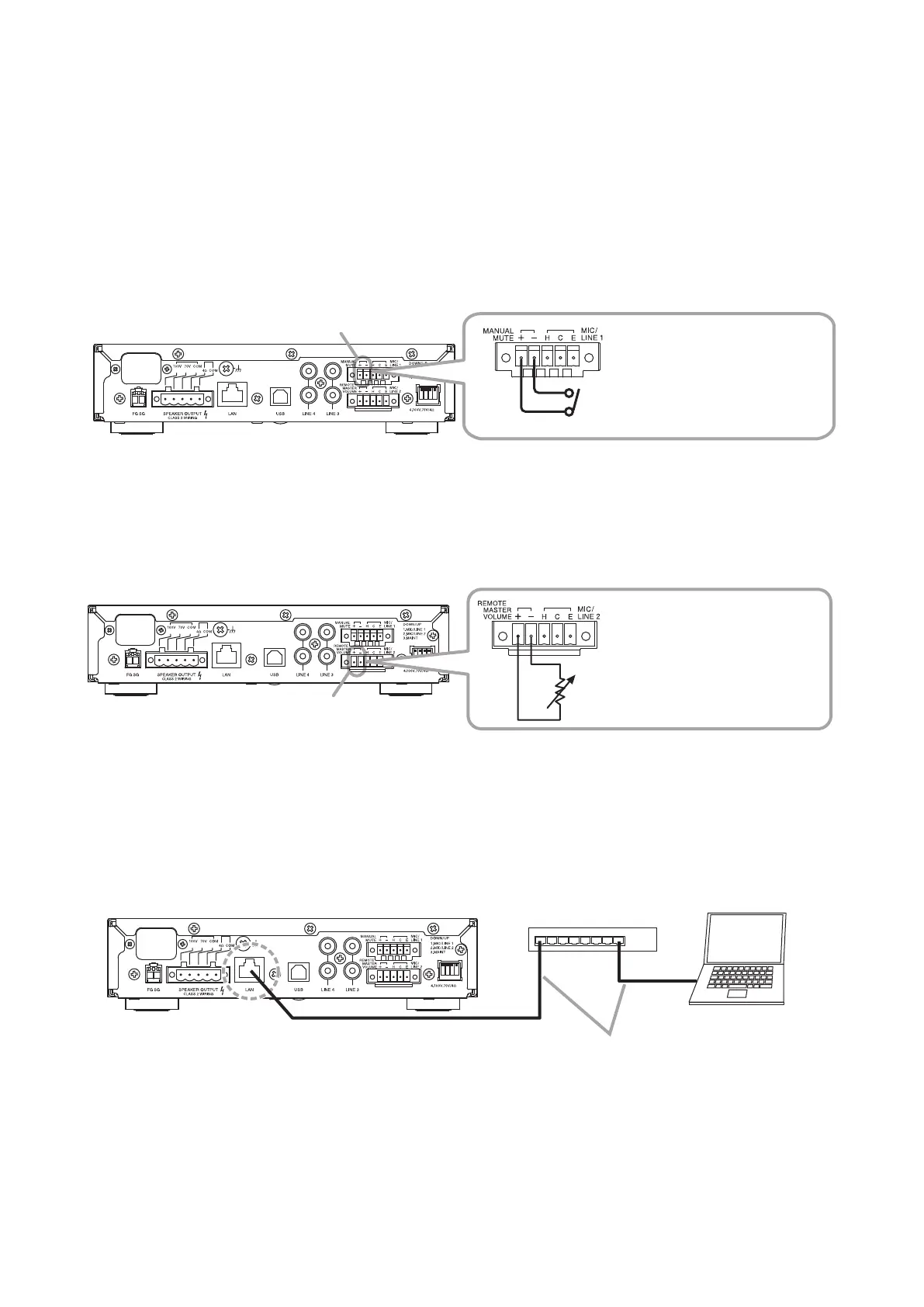
9.5. Connection to PCs
Connect a PC via a switching hub.
For details, please read the software instruction manual on the supplied CD.
9.4.1. Manual muting terminal connections
If a no-voltage contact is connected, closing the contact allows the pre-determined input channel volume to be
reduced by a preset level of attenuation.
If a microphone with a contact is connected as shown in Connection Example 2 (p. 12), the audio of other
channels will be muted for as long as the microphone’s talk switch is pressed.
Use the A-5000 PC Software to enable or disable this function, select the input channel, and set the attenuation.
For details, please read the software instruction manual on the supplied CD.
9.4.2. Remote master volume adjustment terminal connection
The unit’s master volume can be remotely adjusted by an externally-connected resistor.
If the resistor’s resistance value is small, the unit’s sound level will be reduced, and if the resistance value is
large, the sound level will be increased.
1 2 3 4
A-5006/5012
No-voltage contact
Short circuit current: 3 mA or less
Release voltage: 24 V DC or less
Manual muting terminals
1 2 3 4
A-5006/5012
Use a 10 kΩ variable resistor (B curve).
Release voltage: 24 V DC or less
Remote master volume adjustment terminals
1 2 3 4
Switching hub
PC installed with
A-5000 PC Software
STP Category 5 (or higher)
straight LAN cable (with RJ45 connector)
A-5006/5012
LAN port
9.4. Remote Control Equipment Connections
Use the supplied Small type removable terminal plug (5 pins) for connection.



 To Next Page