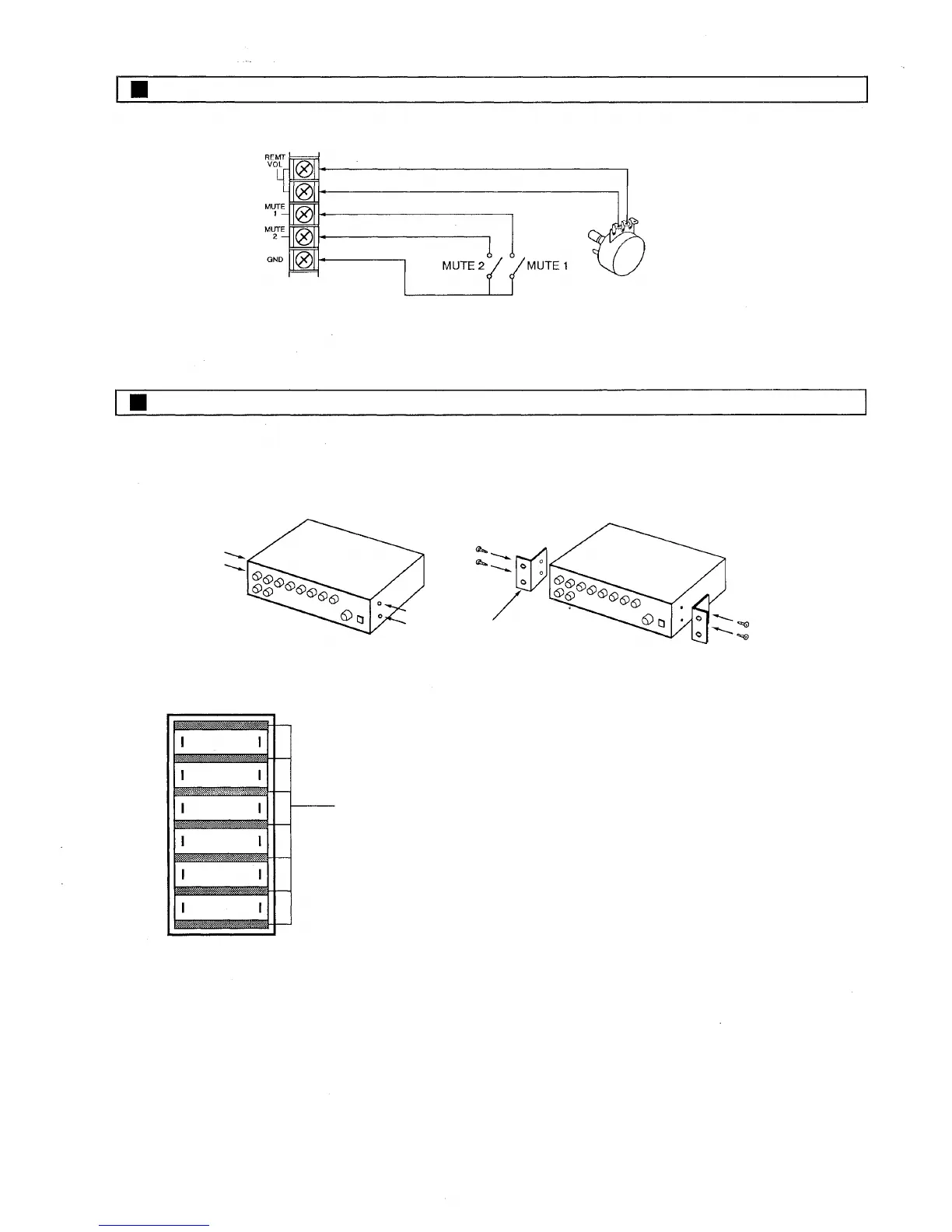
Muting and Remote Volume Control Connection
POTENTIOMETER
10k OHMS
Remote volume control connection limiting
front panel master volume control range.
Rack Mounting
To mount the amplifier in a standard 19" equipment rack, use the optional MB-25B rack mounting bracket.
MB-25B
Remove 4 screws securing case.
Fix the brackets with attached 4 screws. The length
of screws should not exceed 12mm (1.2").
Amplifier
PF-511 perforated panel (1-unit size)
If two or more units are mounted in an equipment rack, provide
space for ventilation. The perforated panel PF-511 (optional) is
recommended for this purpose.
— 7 —



 To Next Page