EasyManua.ls Logo

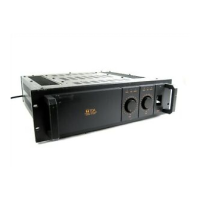
Toa MA-725F - User Manual

Toa MA-725F
36 pages
Print Icon
To Next Page IconTo Next Page
Loading...
OPERATING INSTRUCTIONS
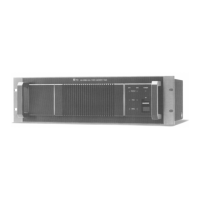
MATRIX AMPLIFIER MA-725F
MATRIX PRE-AMPLIFIER MM-700F
Thank you for purchasing TOA's Matrix Amplifier.
Please carefully follow the instructions in this manual to ensure long, trouble-free use of your equipment.
TOA Corporation

Other manuals for Toa MA-725F

Questions and Answers

  • E
    Ebony HolmesAug 2, 2025
    What to do if the Toa MA-725F's fuse is okay, but the power light isn't on and it doesn't work?
    • P
      phillip96Aug 2, 2025
      If the fuse is working, but the blue power light is off and the Toa Amplifier isn't working, check the STB PCB.
  • H
    herreramanuelAug 7, 2025
    What to do if my Toa MA-725F Amplifier doesn't work at all?
    • P
      Pamela PhamAug 7, 2025
      If the Toa Amplifier doesn't work, remove the rainbow cable from BGM BOARD CN7303. Then, measure Pin 5 to chassis voltage; it should be 3.3V. Also, measure Pin 7 to chassis voltage; it should be 5V.
  • E
    Eric BaileyAug 12, 2025
    Why does my Toa MA-725F have no output, even though the startup process seems fine?
    • J
      Jamie NorrisAug 12, 2025
      If the Toa Amplifier starts up fine but has no output and the POWER SUPPLY BOARD red LED is off, remove the red and black lines of the POWER STB BOARD CN202 and measure the voltage at both ends to ensure it's 16.8V. Also, remove the rainbow cable of BGM BOARD CN7303 and measure the voltage of Pin2 to the chassis to check for +12V and Pin 4 to the chassis for -12V.
  • C
    Carolyn WalkerAug 17, 2025
    What to do if the Toa MA-725F Amplifier has no output after powering on, and the BGM BOARD red LED is off or doesn't flash continuously?
    • T
      Tammy WongAug 17, 2025
      If there's no output after powering on the Toa Amplifier, and the BGM BOARD red LED isn't on or doesn't flash continuously, the cause may be a faulty BGM PCB.
  • M
    Mathew LivingstonAug 22, 2025
    What to do if the Toa MA-725F Amplifier's blue power light doesn't flash and the machine doesn't work after turning on?
    • L
      Laurie OsbornAug 23, 2025
      If, after turning on the Toa Amplifier, the blue power light doesn't flash continuously and the machine doesn't work, the cause may be a faulty ETHERNET (ETH) PCB.
  • M
    Melissa Oconnor MDAug 27, 2025
    What to do if the Toa MA-725F's fuse is open and there is no response?
    • C
      Cynthia MurphyAug 27, 2025
      If the Toa Amplifier's fuse is open and there is no response, remove the POWER SUPPLY BOARD heat sink. Then, measure Q1A, Q2A, Q8, and Q10 to check for any short circuits.

Summary

Important Safety Instructions

Safety Precautions

Safety Symbol and Message Conventions

Explains safety symbols and messages used in the manual.

Unit Installation Safety

Safety instructions specific to installing the unit.

Unit Operation Safety

Safety instructions to follow while the unit is operating.

General Description

Features

Handling Precautions

Installation Precautions

Nomenclature and Functions

Front Panel Overview

Describes the front panel controls, indicators, and functions.

Rear Panel Overview

Details the rear panel terminals, connectors, and switches for operation.

Connection Examples

Connection

Terminal Plug Connection

Guidelines for connecting using removable terminal plugs.

Input Signal Connections

Instructions for connecting LINE and PRIORITY input signals.

Speaker Output Connections

How to connect speakers to the unit's output terminals.

Auxiliary Output Connections

How to connect MOH and LINE auxiliary outputs.

Remote Control Connections

How to connect remote control devices and terminals, including RJ-45.

Muting Functions

Manual Mute Function

How to use the manual mute function.

Auto Mute Function

How to configure and use the auto mute function.

Operation

Input Selection Function

How to select input sources using front panel switches or remote control.

EQ Preset Selection

How to select and apply EQ presets for channel equalization.

WP-700 Remote Controller Operation

Detailed guide on using the WP-700 remote controller.

Rack Mounting Bracket Attachment

Protection

Block Diagrams

Dimensional Diagram

Specifications

Toa MA-725F Specifications

General IconGeneral
BrandToa
ModelMA-725F
CategoryAmplifier
LanguageEnglish

Related product manuals