27
9.3. Checking the Spectrum Scan Log
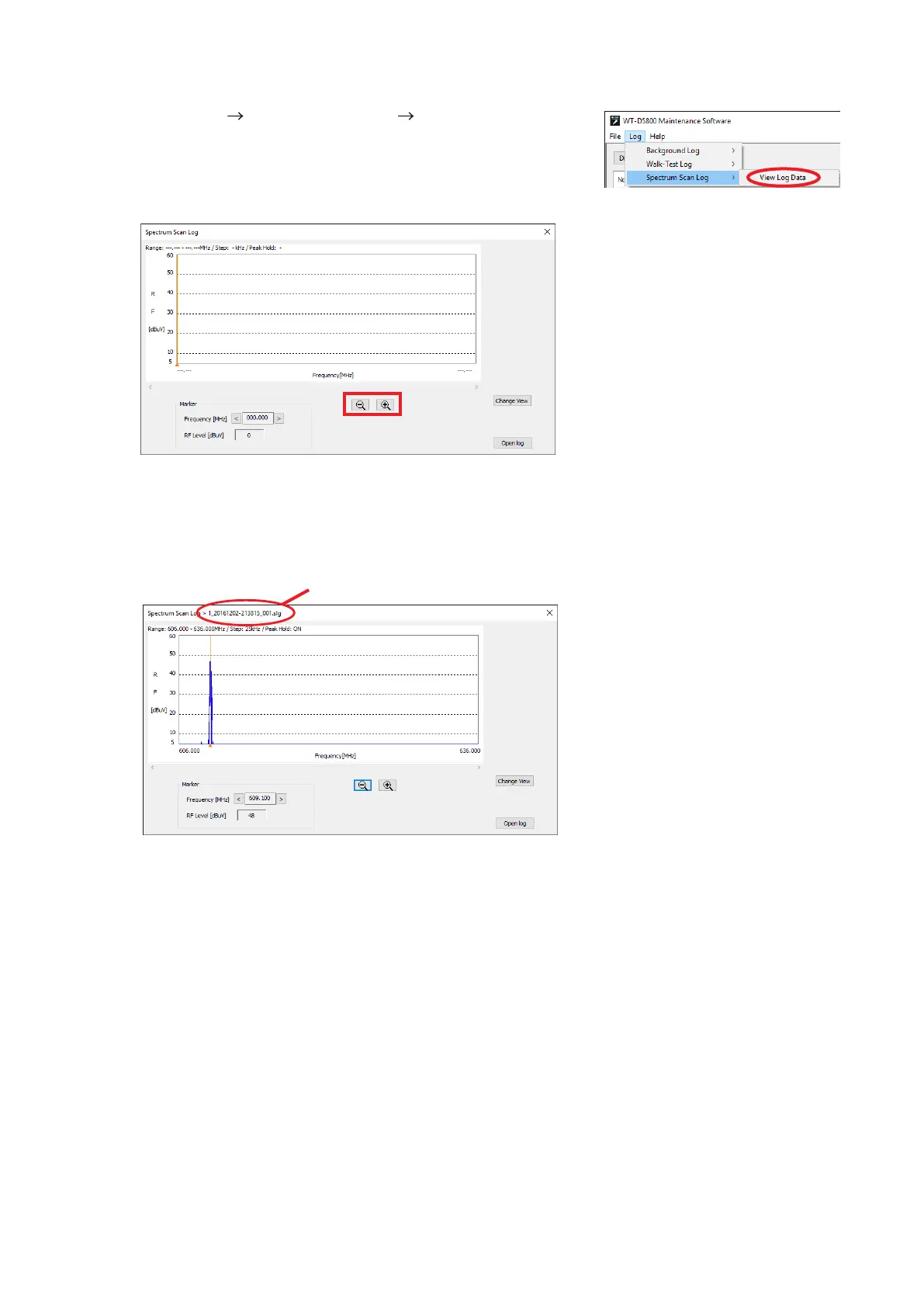
Step 1. Select [Log Spectrum Scan Log View Log Data] from the
menu.
Displays the Spectrum Scan Display screen.
2
Step 2. Click the Open Log button to specify the log data to be displayed.
The log le will be stored in the data folder (p. 4).
See p. 4 for the le name.
Displays the Spectrum Scan Log screen.
File name
3
3
Tip
Clicking the Change View button will
change the horizontal axis to show
time for the frequency selected with the
marker.
Except that the le name is displayed, the contents and the operability are the same as those of the
Spectrum Scan screen.
Step 3. Use the Marker, Zoom out/Zoom in button if necessary.



 To Next Page