tojock@126.com
Ensure that the disc is loaded properly;
Ensure that this player supports the disc.
See Specifications
Ensure that this player supports the region code of
the DVD or BD;
For DVD+RW, ensure that the disc is finalized;
Clean the disc
Data Files cannot be
played or read
Ensure that the data file was recorded in the standard
UDF, ISO9660 or JOLIET format;
Ensure that the JPEG file extension .jpg, JPG, jpeg or
JPEG
Not entry sign
appears on the TV
The requested operation is not possible
The power light does
not come on
Plug the power cord into a wall outlet
Try a different outlet
Select the appropriate video input format on your TV
in order to receive the player's output signals.
Fully insert the plugs on the video cable into the
corresponding jacks.
Fully insert the plugs on the audio cable into the
corresponding jacks.
Turn on the stereo/amplifier system (if applicable).
Select the correct output in the setup menu.
Remove and clean the disc
Some distortion may occur during the FORWARD
and REWIND operations. This is normal.
Flickering or unstable
brightness
Connect the player directly to your TV
NOTE: Disruptions can be caused by copy protection
systems on a discs
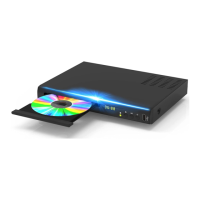
The DVD player does
not operate
Be sure that a disc is loaded
Be sure that the disc is compatible (check the disc’s
format and color signal coding standard)
Check that the disc is correctly loaded


 To Next Page