ー40ー
6-1. Liquid Sterilization Function
6. USEFUL FUNCTIONS
The FLS-1000 provides the liquid sterilization function which allows liquids to be sterilized.
To avoid explosive boiling in the liquid sterilization course the setting of the exhaust speed
and cooling fan can only be changed during the temperature and pressure falling process or
temperature falling process.
Follow the procedures given below to set operating
parameters.
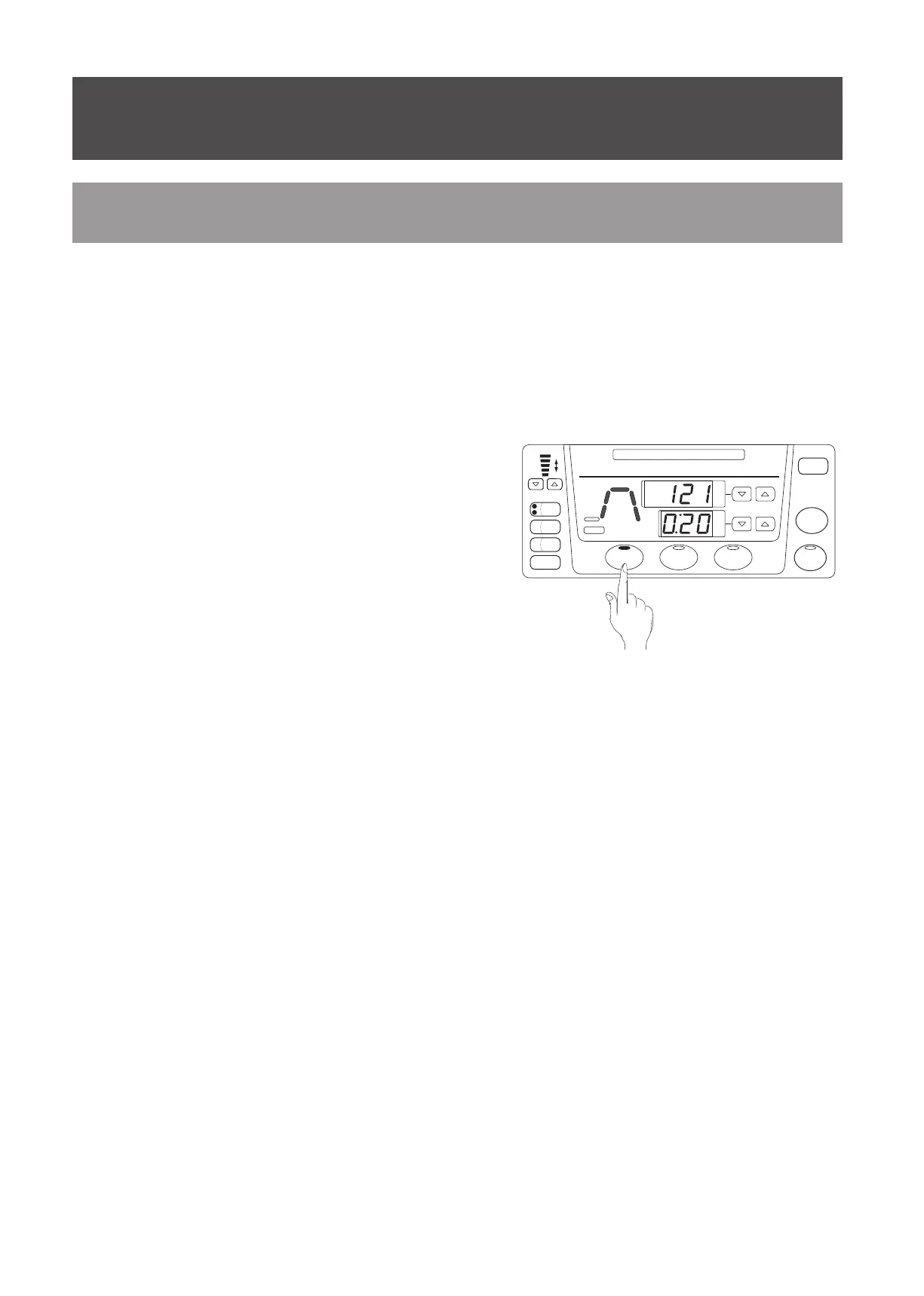
Press the STERILIZE LIQUID key.
The STERILIZE LIQUID indicator turns on to
indicate that the liquid sterilization course is
selected while all process indicators on the work
monitor light up green.
Press the temperature setting up and down arrow
keys to set the temperature for the sterilization
process.
Press the time setting up and down arrow keys to
set the sterilization time for the sterilization process.
※
Parameters for the exhaust speed and cooling fan cannot be preset.
※
These parameters can only be set during the temperature and pressure falling process or
temperature falling process.
<
To set operating parameters for the liquid sterilization course
>
①
②
③
STOP
MEMORY
STERILIZE
LIQUID
START
FUNCTION
CHECK
TIMER
EXT.
SENSOR
COOLING
FAN
EXHAUST SPEED
FAST
TIME
TEMPERATURE
TIMER
READY
STERILIZE
LID LID
WATER
DRAIN
COVER
CHANGE WATER
°C
SLOW
STERILIZE
IN PROGRESS


 To Next Page