6
Battery
Battery Installation and Charging
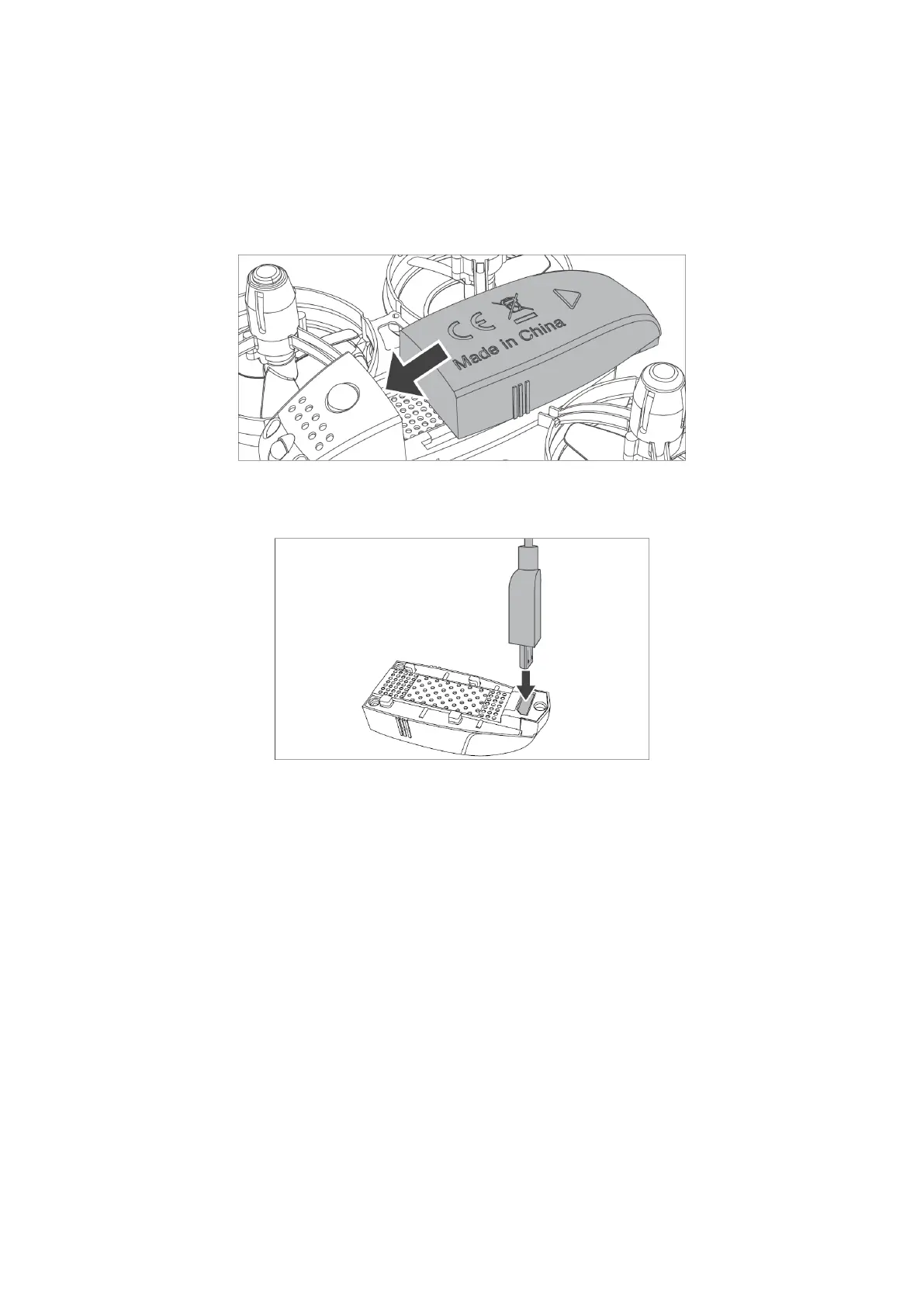
First, place the battery in the drone and buckle it as shown in the picture below.
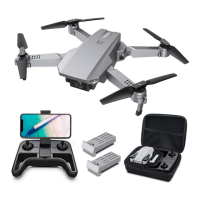
Then, recharge the battery as shown in the picture below. USB charger indicator turns
red during charging. Once charging is done, the charger indicator turns off.
Notes:
• Please use the original charger for charging. Do not use other chargers.
• Keep the battery away from high temperature, open fire, or electric heaters.
Otherwise, damage or explosion may occur.
• If the product has been idle for too long, please charge it once every two months
to keep the battery in active condition.
• Do not charge the battery on carpets, and other flammable items, in order to
avoid fire hazard.


 To Next Page