8
Quick Start
Frequency Match
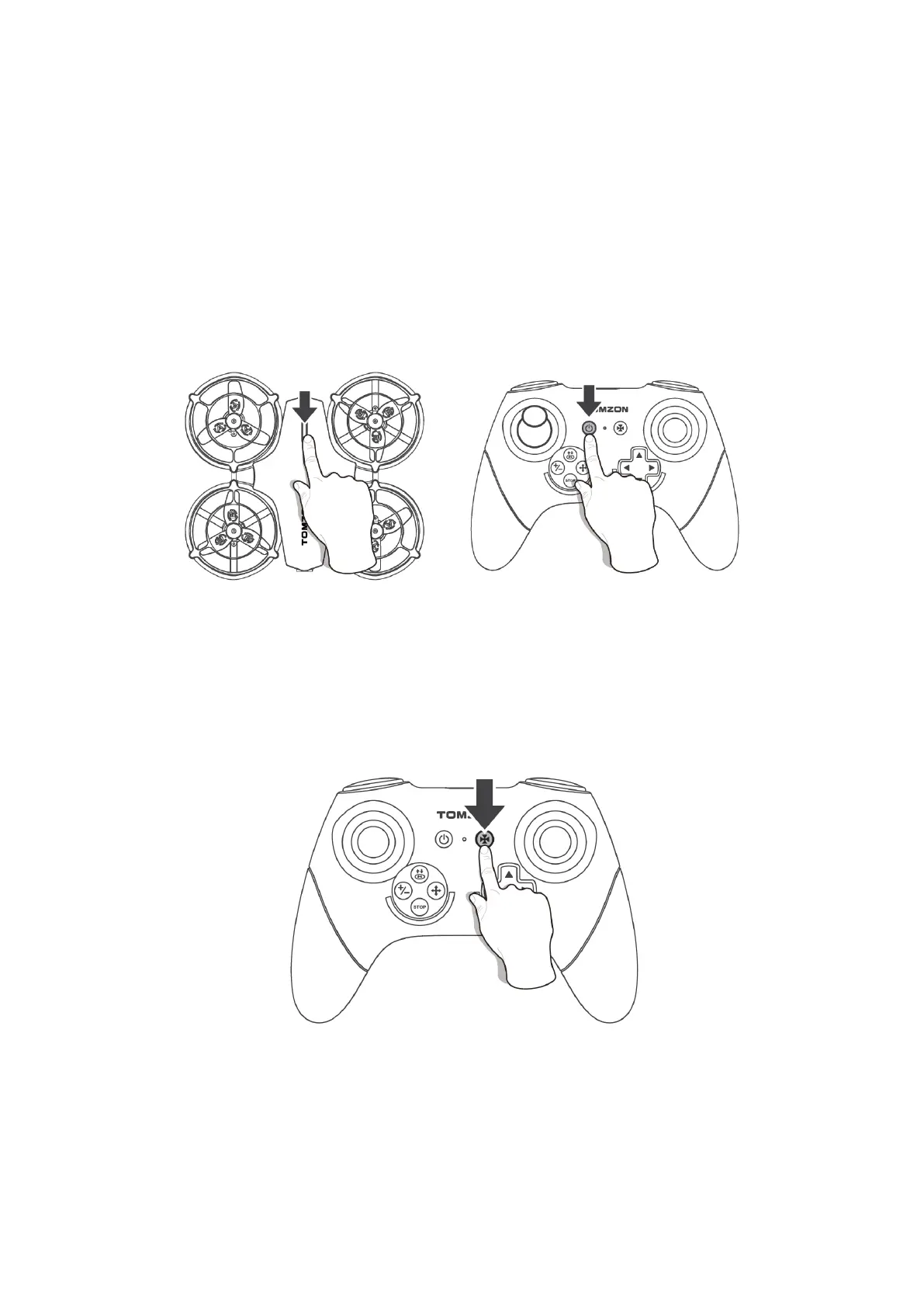
Long press the power button on the upper cover to turn on the drone, the indicator
flashes. Then place the drone on a horizontal ground.
Turn on the remote control, it will pair with the drone automatically. The pairing is
complete when the remote control beeps. At this time, the indicator lights of the remote
control and the drone are always on.
Calibration
Press the calibration button to start calibration. The indicator light flashes rapidly during
calibration and after the calibration is completed, the indicator light is always on.
When the drone falls, please calibrate it again. Don’t forget to place the drone on a
horizontal solid ground during calibration.


 To Next Page