4
1. Front Panel Controls
1. Front Panel Controls1. Front Panel Controls
1. Front Panel Controls
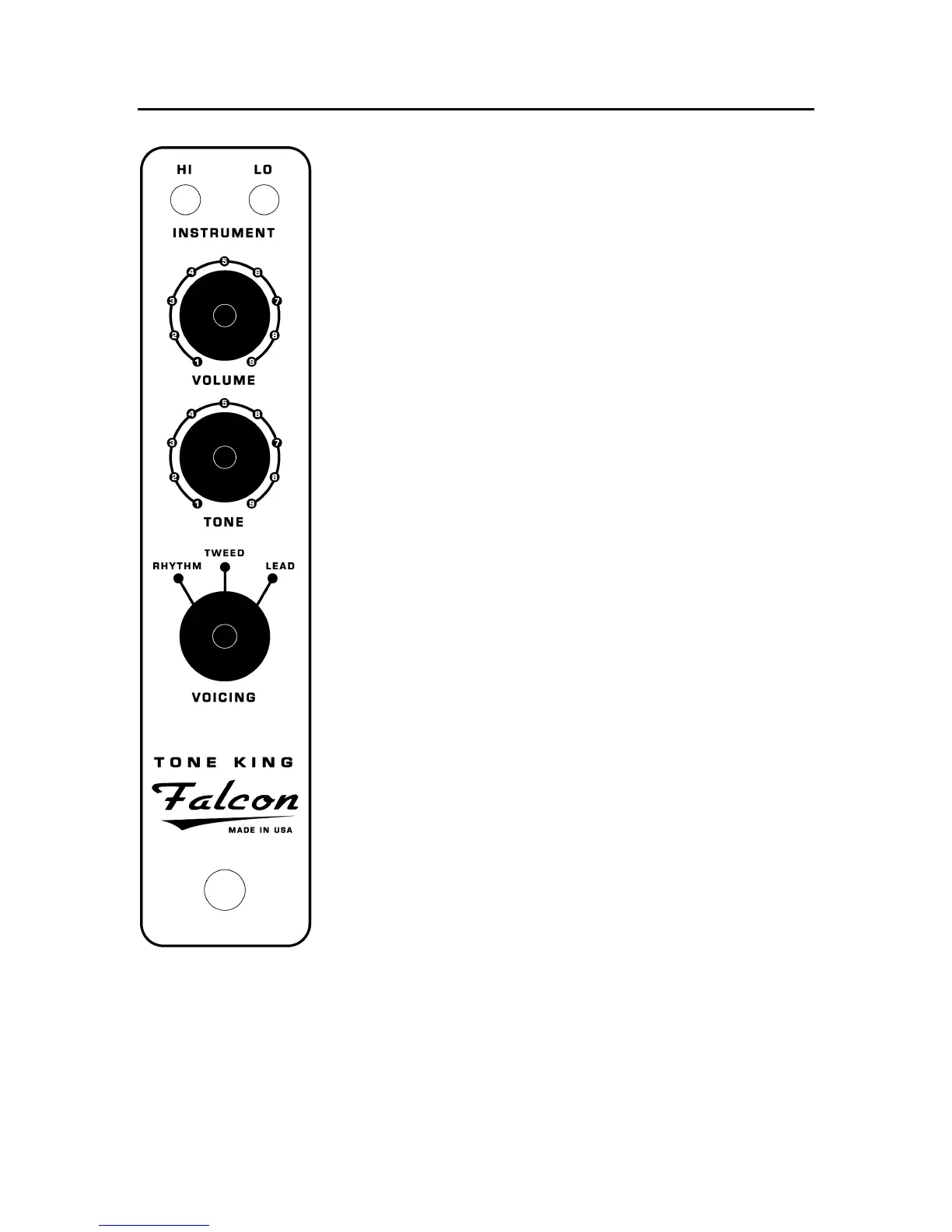
HI and LO Inputs
HI and LO InputsHI and LO Inputs
HI and LO Inputs
Two input jacks are provided, each with a different level of
gain. The HI input has a higher level of gain than the LO
input. You may find it useful to use the HI input with
guitars that have single coil or otherwise lower output
pickups, and the LO input for guitars with humbuckers or
high output single coil pickups. Regardless, these guidelines
are not intended as set rules. There are many cases where
they would be used otherwise.
Volume & Tone Controls
Volume & Tone ControlsVolume & Tone Controls
Volume & Tone Controls
The first stage of the Falcon’s preamplifier is very similar to a
vintage tweed deluxe amplifier. Because of this, the volume
and tone controls are highly interactive. This means that
changing the volume control will have some effect on the tone
(balance of treble-to-midrange-to-bass), and changing the
tone control will have some effect on the volume of the amp.
Although this seems like an inconvenient setup, it actually
provides a much wider range of available tones. If you are not
familiar with using interactive Volume and Tone controls, it
may take some experimenting to become familiar with how
best to use it.
Voicing Control
Voicing ControlVoicing Control
Voicing Control
The Voicing control allows you to select between three distinct
“voicings”, each with its own unique level of gain and tonal
characteristics. Note that the ability to switch between
voicings does not mean that the Falcon is a three channel
amplifier – it is a single channel design, with a variety of tonal
options provided by the Voicing control.


 To Next Page