CONNECTING
5. Exchange the flowmeter
6. Please, contact your dealer.
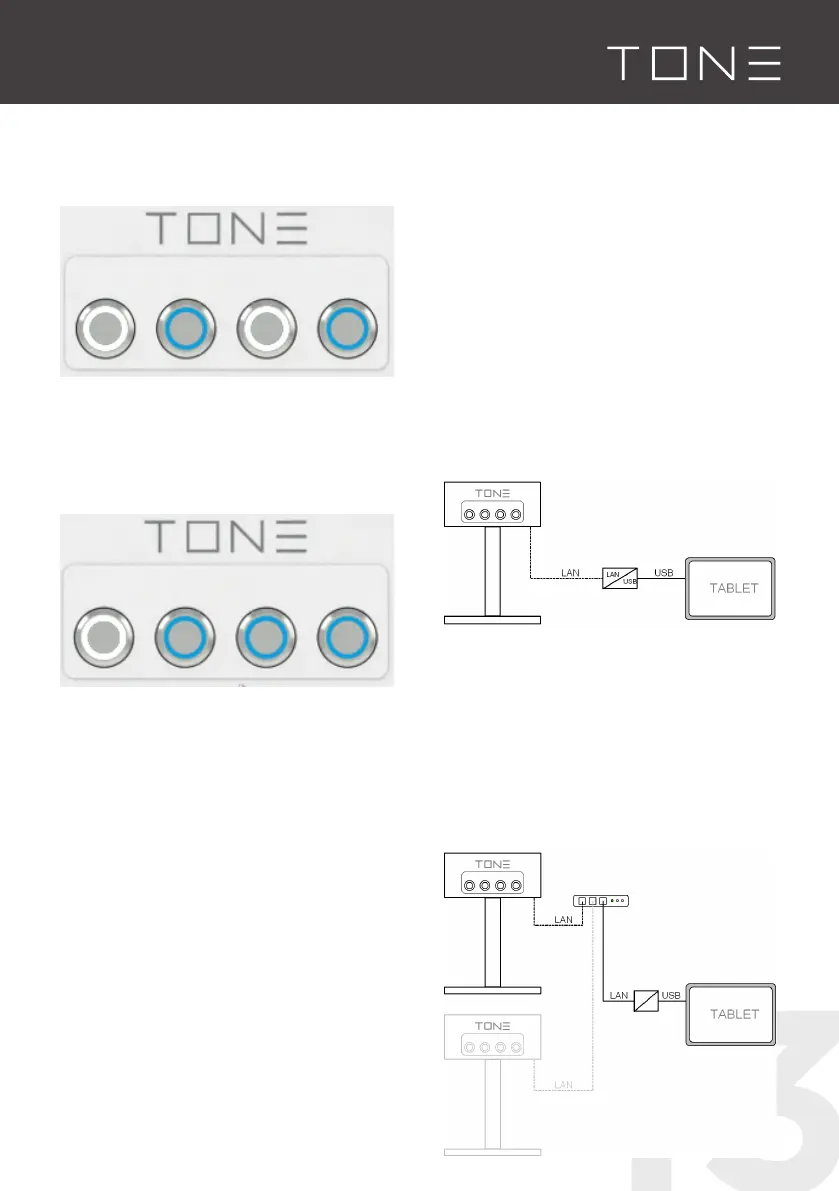
Buttons 2 & 4 light up blue
▪ Proportional valve is leaking
1. Rinse the machine with approx. 1L by
pushing button 1/2 + main switch
2. Please, contact your dealer.
Buttons 2 & 3 & 4 light up blue
▪ Brewer overheated / error on heating
element / defective thermostat / Flow
problem not resolved / missing signal from
solid state relay.
1. Switch the brewer OFF and let it cool
down.
2. Rinse the machine with approx. 1L by
pushing button 1/2 main switch together
3. Check if during the run of a recipe both
LED on the solid state relays are blinking
4. Replace the NTC temperature sensor on
the heating element
5. Please, contact your dealer.
For more precise informations go to page
20. Otherwise please contact your dealer.
Trouble shooting
If vibrating noises are heard from the
machine housing, there could be air in the
system. This can be the case in particular if
the water supply line has been interrupted.
In order to remedy the fault, the device must
be rinsed. Follow the instructions in the
section Button Functions.
In case of any other issues, please contact
your dealer.
4.3 CONNECTING
OPTION 1 A
Direct Connection
(direct or via a LAN-2-USB Converter)
▪ connect the TONE to the tablet / pc
or
▪ connect the TONE via the LAN-2-USB
converter to your tablet / pc
▪ only one TONE can be connected to the
tablet / pc
OPTION 1B



 To Next Page