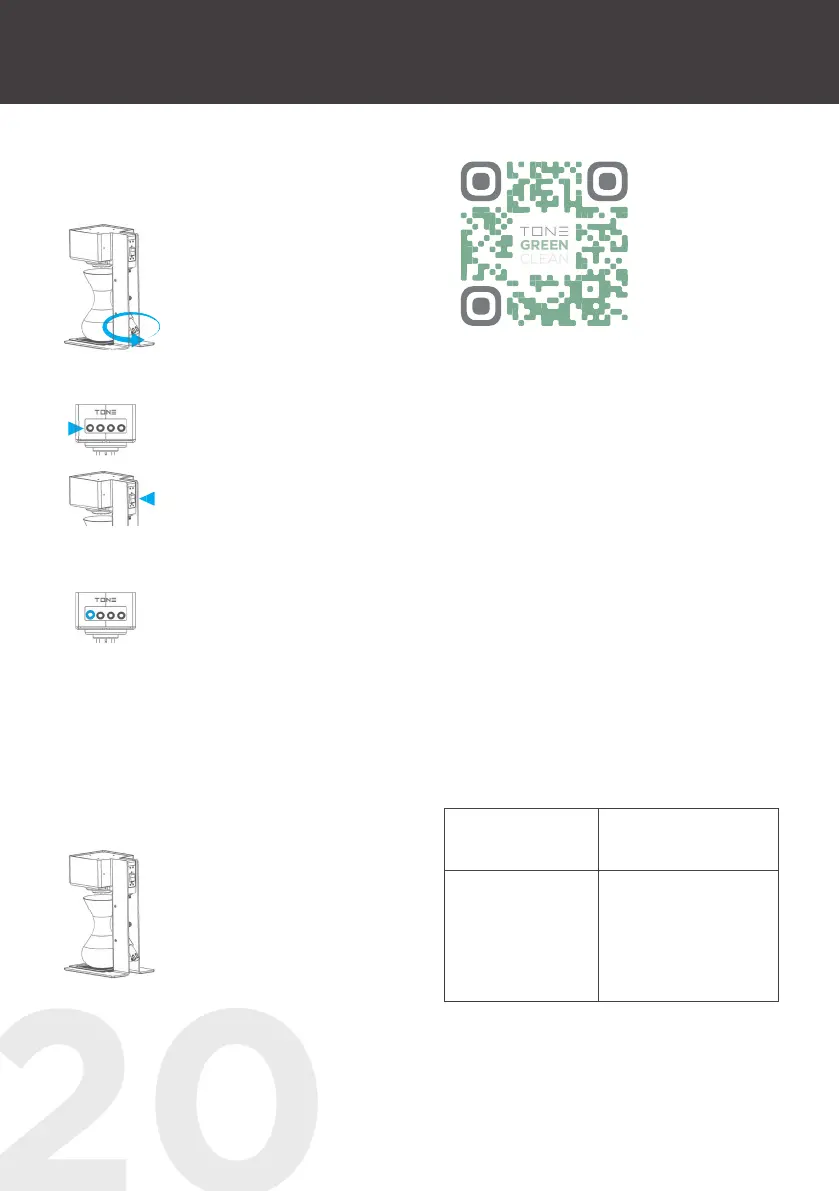
STEP 3
Remove the lid from the descaling agent
container.
STEP 4
Screw the descaling agent
container into the descaling
valve.
STEP 5
Push and hold button one
while switching the machine
ON again.
STEP 6
Allow the decalcification
recipe (duration approx.
12 min) to run through
completely. As soon as the
descaling is completed, button
one shines constantly blue.
STEP 7
Remove the descaling agent
container and restart the
machine.
STEP 8
Flush the whole system by
extracting at least 300 gramm
of hot water.
STEP 9
The TONE Touch 03 is then
ready again fore brewing
excellent coffee.
Scan the QR Code and take a look at the
How-to Video.
5.4 TOUCH 03 EQUIPMENT
▪ stand for smaller brewing vessels (see
picture on page No. 08)
▪ filter stand for variable brew distances (see
picture on page No. 8 or the instructions on
PAGE NO. 24)
▪ TONE Green Clean (descaling liquid): one
design carton includes 12 green clean bottles
x 29 ml - suitable for one year cleaning
6. FAULT RECTIFICATION
TOUCH 03 EQUIPMENT
PROBLEM SOLUTION
Overheating
(Buttons 1 & 4 light
up blue)
1. Check if the NTC
sensorcable (white)
is disconnected.
2. Please, contact your
dealer.



 To Next Page